
Language and regional settings
Set language, timezone and date/time display preferences.
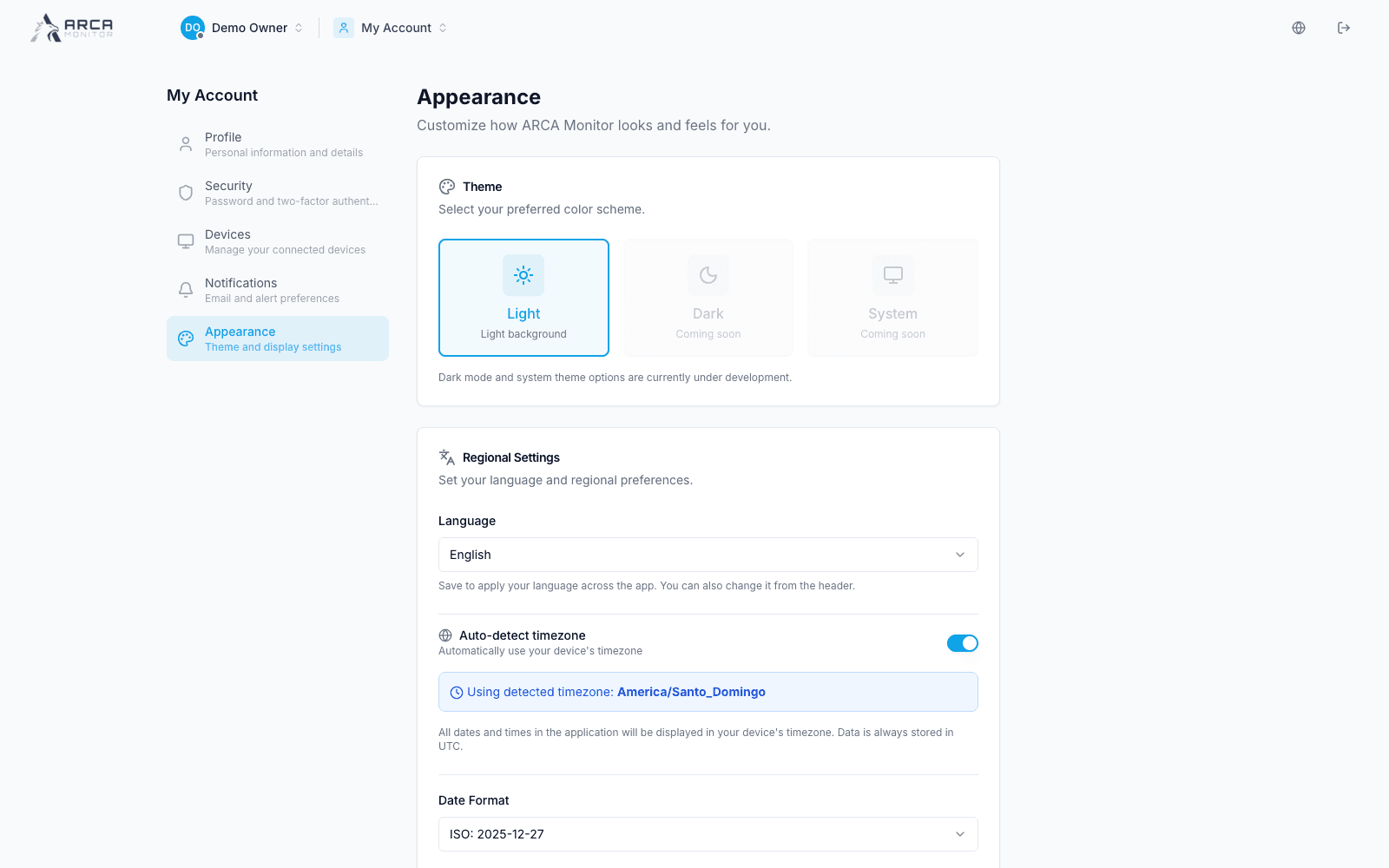
Open My Account → Appearance. The reviewed platform enables the Light theme. Dark and System are displayed as coming soon.
Set your language
Choose English or Español in Language and select Save Changes. Verify the translated page after saving. The workspace header also provides a language selector. This documentation starts in English and offers a separate language selector for the guide.
Set the timezone
With Auto-detect timezone enabled, the page shows the zone detected from your device. Disable it when you need to select a supported timezone manually. Check the resulting displayed zone before saving.
The interface explains that stored timestamps use UTC while displayed times follow your preferences. When coordinating a review, include the timezone alongside a deadline or time-sensitive observation.
Choose date and time formats
Select a date format and a 12-hour or 24-hour time format, then save. Confirm an actual timestamp in the application afterward. Formatting a date does not change the transaction's original event time or the workspace's configured operating rules.