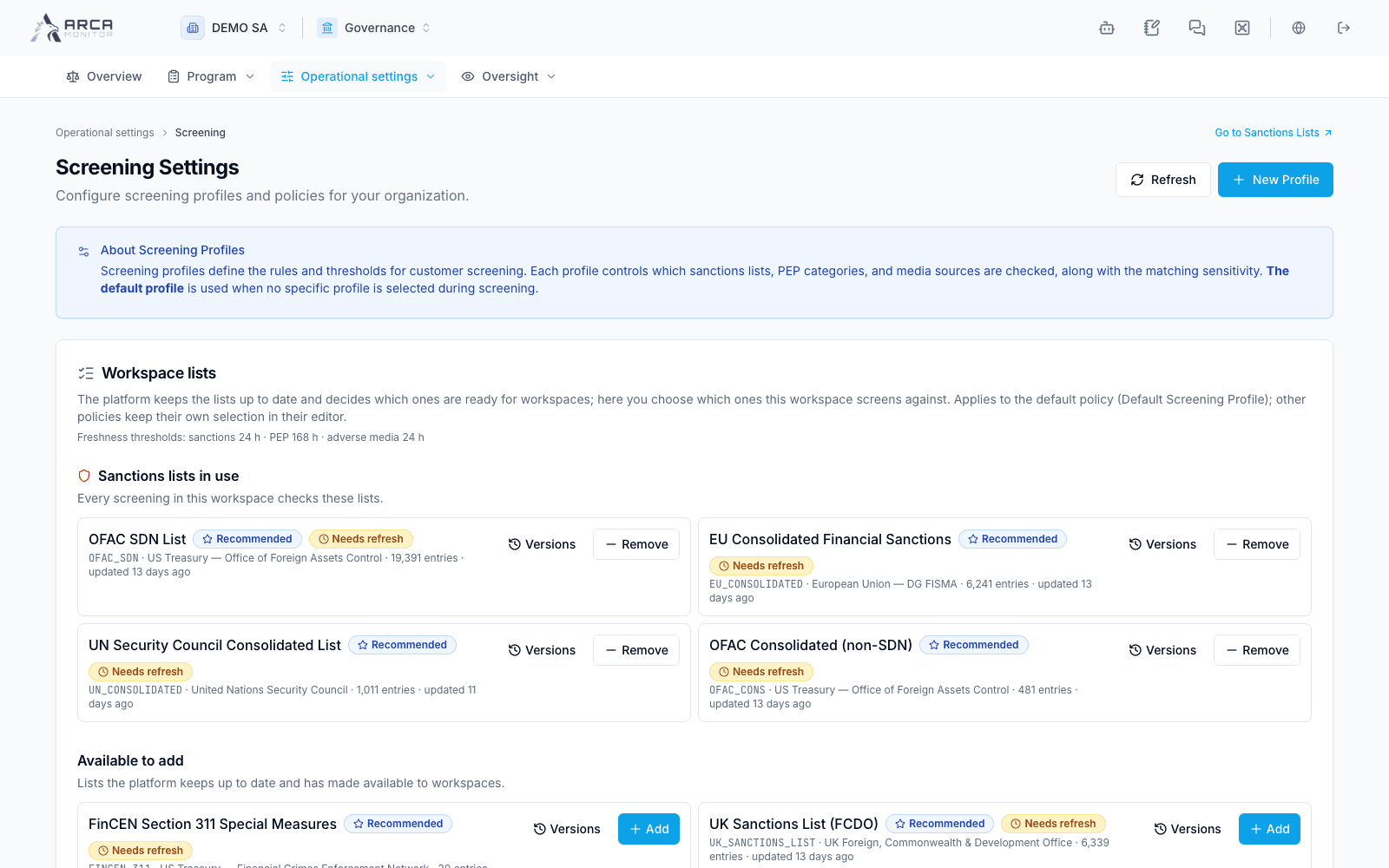
Screening settings
Locate workspace policies, list availability, assignment rules, and decision requirements.
Open Governance → Configuration → Screening with the appropriate access. These settings affect workspace behavior; seeing a card does not imply permission to change every field. Follow the capability or refusal shown by the platform.
Distinguish the configuration areas
| Area | Purpose |
|---|---|
| Workspace lists | Inspect source availability, selected lists, freshness, and versions. |
| Screening profiles/policies | Define source selection, matching options, scope, and automation settings. |
| Continuous monitoring | Select populations and schedule repeated work. |
| Assignment rules | Route incoming work to eligible reviewers and define applicable deadlines. |
| Decision and exception policy | Set second-signature requirements, rationale length, and exception expiry. |
A screening profile here is a configuration policy. It is not the person or company record maintained in the Profiles app.
Review a screening policy
Open the policy’s edit control and inspect its general settings and source-specific areas for sanctions, PEP, media, and automation. Check which policy is the default and which policy a batch or monitoring configuration explicitly uses.
Read per-field descriptions before changing thresholds. In particular, PEP screening uses its current strength-band rules; the numerical PEP threshold is described as relevant to catalog browsing and should not be assumed to govern ordinary match admission in the same way as a sanctions threshold.
Review the effect of source, population, and automation settings together. Save an intentional change, then reopen the policy and verify the stored values. A saved policy is not evidence that older checks were re-run.
Set decision and exception rules
Inspect whether confirmation requires a second signature, when false-positive decisions require one, the minimum rationale length, and the normal/high-risk exception expiry windows. Use the displayed limits and the workspace’s approved operating process; the guide does not prescribe risk thresholds.
When authorized to edit, change the required values and read the confirmation’s list of changes before saving. Verify the persisted values and last editor. New exceptions follow the applicable policy; existing approved exceptions retain their own expiry.
Route and monitor the work
Review assignment rules against the intended source/risk criteria and eligible members. Check the assignee and due date on actual queue rows afterward; a rule’s existence alone does not prove a particular request was assigned.
For a recurring population, continue with Monitoring and freshness. For a new policy result, inspect Search coverage and the decision dialog rather than inferring behavior solely from a settings screenshot.
Screens and controls
Workspace screening policy and selected lists