Reports
ARCA MONITOR / USER GUIDE
Maintain GTO order records
Review dates, geographic scope, thresholds, and affected agents.
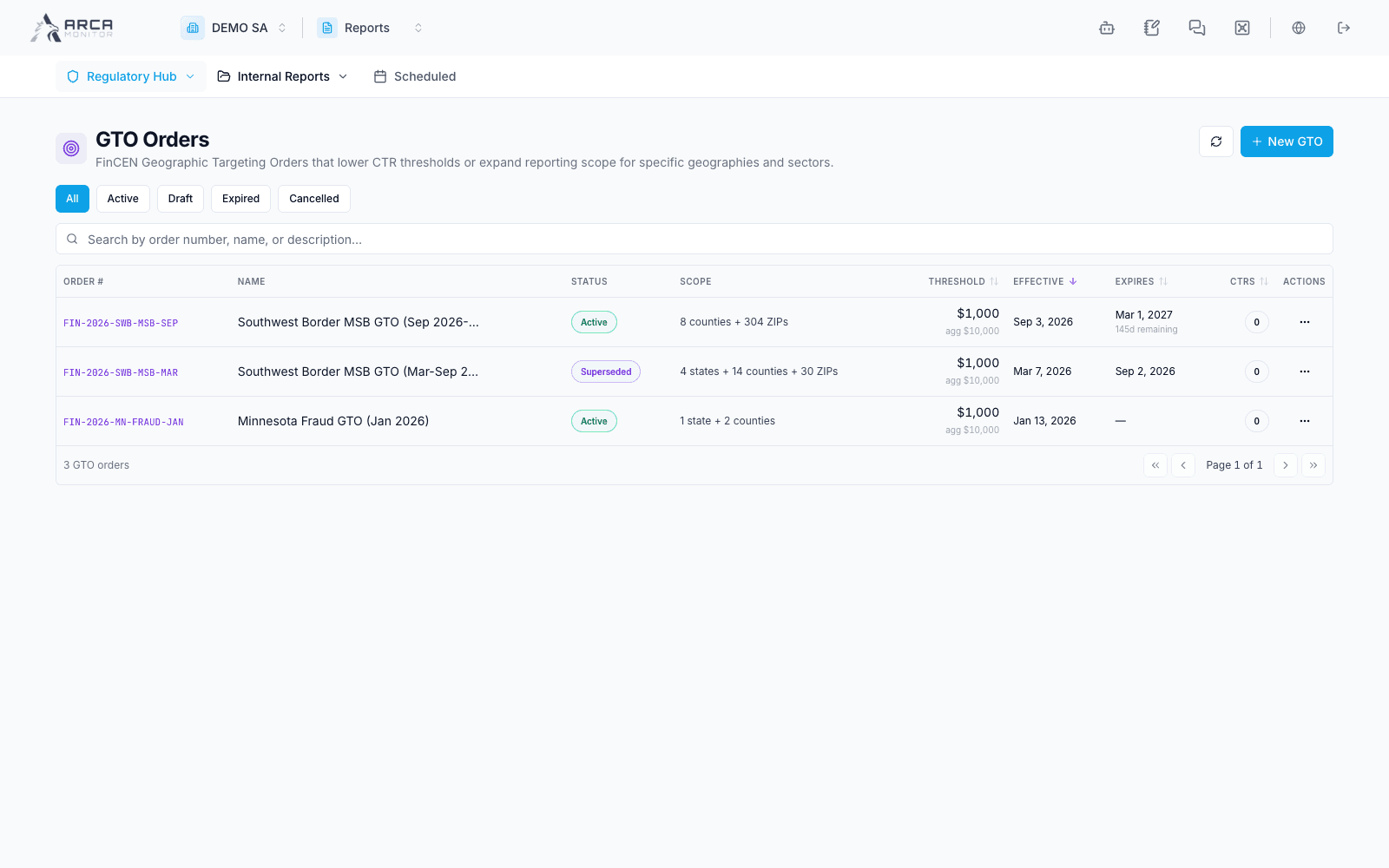
Open Regulatory Hub → GTO Orders. This entry is independent of whether the SAR menu is installed. It maintains order configuration used by applicable reporting workflows.
Review or create an order
- Open an existing order before adding another. Check order number, source, effective/expiration dates, and current status.
- Use the new-order form when authorized. Select an available catalog reference or enter the documented order details.
- Enter the actual name/number, source links, effective dates, threshold, and reporting settings from the approved source. The form checks required fields, positive thresholds, and consistent dates.
- Review geographic scope, state/county pairings, transaction categories, agent types, and any explicit agent selection offered. A county name without its state can be ambiguous.
- Inspect the impact preview where available, save, and verify the resulting detail and applicable agents.
Maintain scope deliberately
Use the detail/edit controls for corrections and lifecycle changes. Review affected agents and reporting consequences before activating or altering an order. Do not copy a demonstration threshold or assume every workspace has the same jurisdictional scope.
A saved order is configuration, not a filed report. Follow resulting CTR work separately and verify its GTO context and due date. If validation refuses a field, correct the indicated value and review the preview again before saving.