Program
Follow the available sections, controls and saved results.
Risk assessments
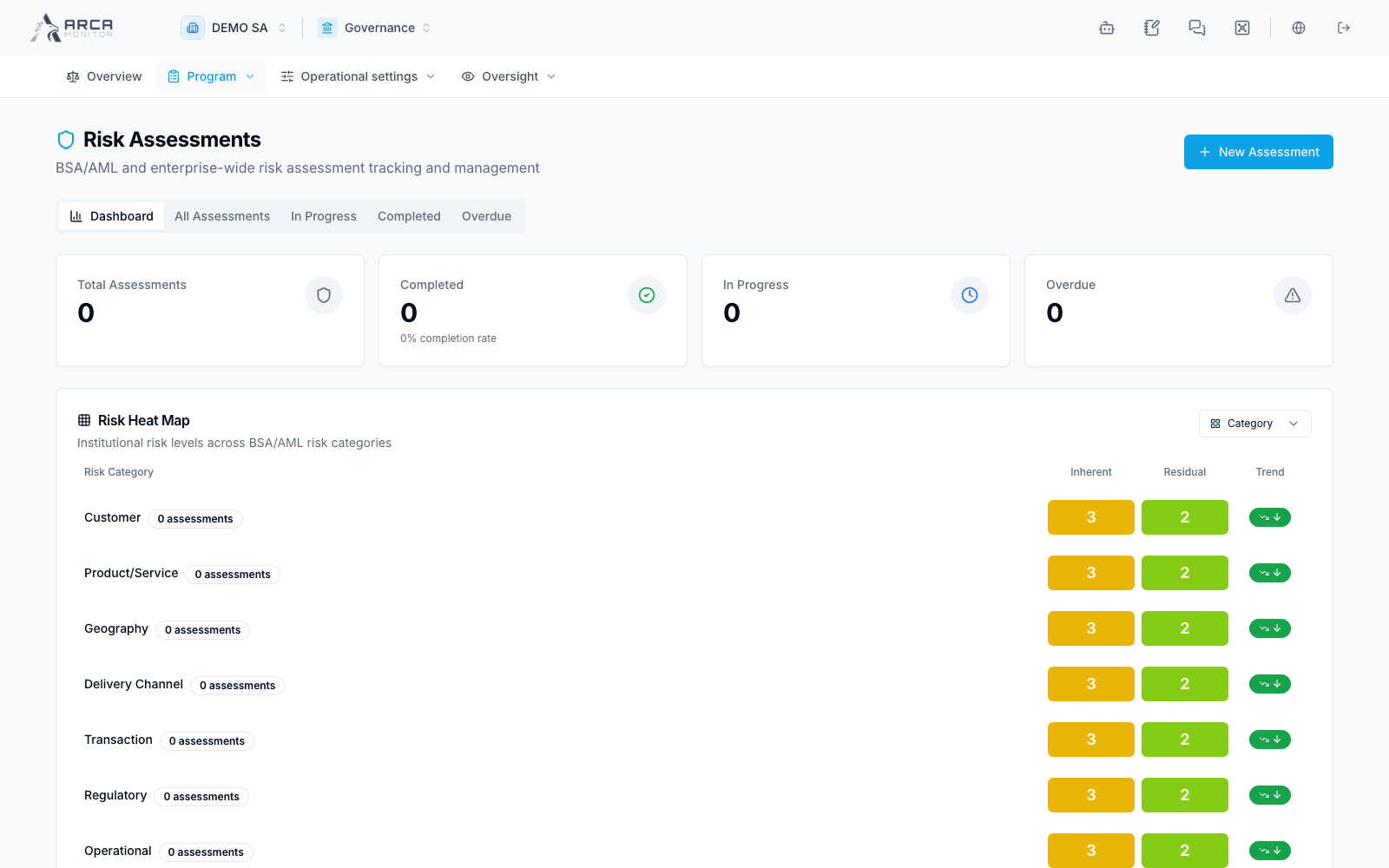
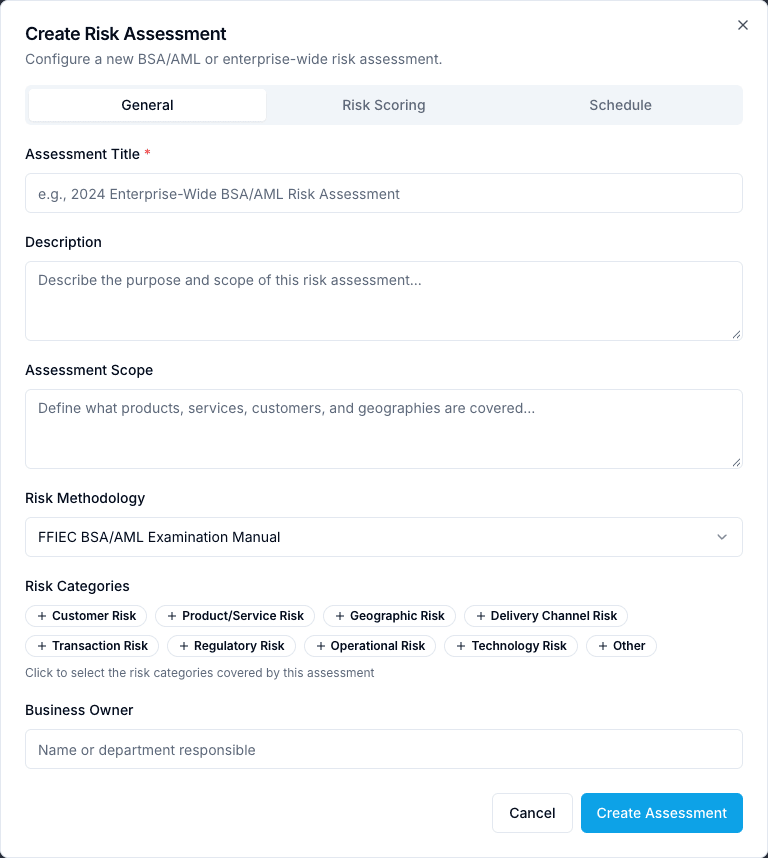
Use Program → Risk assessments. The Dashboard summarizes assessment progress; All Assessments, In Progress, Completed and Overdue narrow the work. New Assessment opens the creation form. Identify the assessment, scope and responsible person, review required dates and save only after confirming the scope. Open the saved record to follow findings and remediation. The example has no completed assessment: default heat-map values are not evidence of a completed institutional assessment.
Policies and procedures
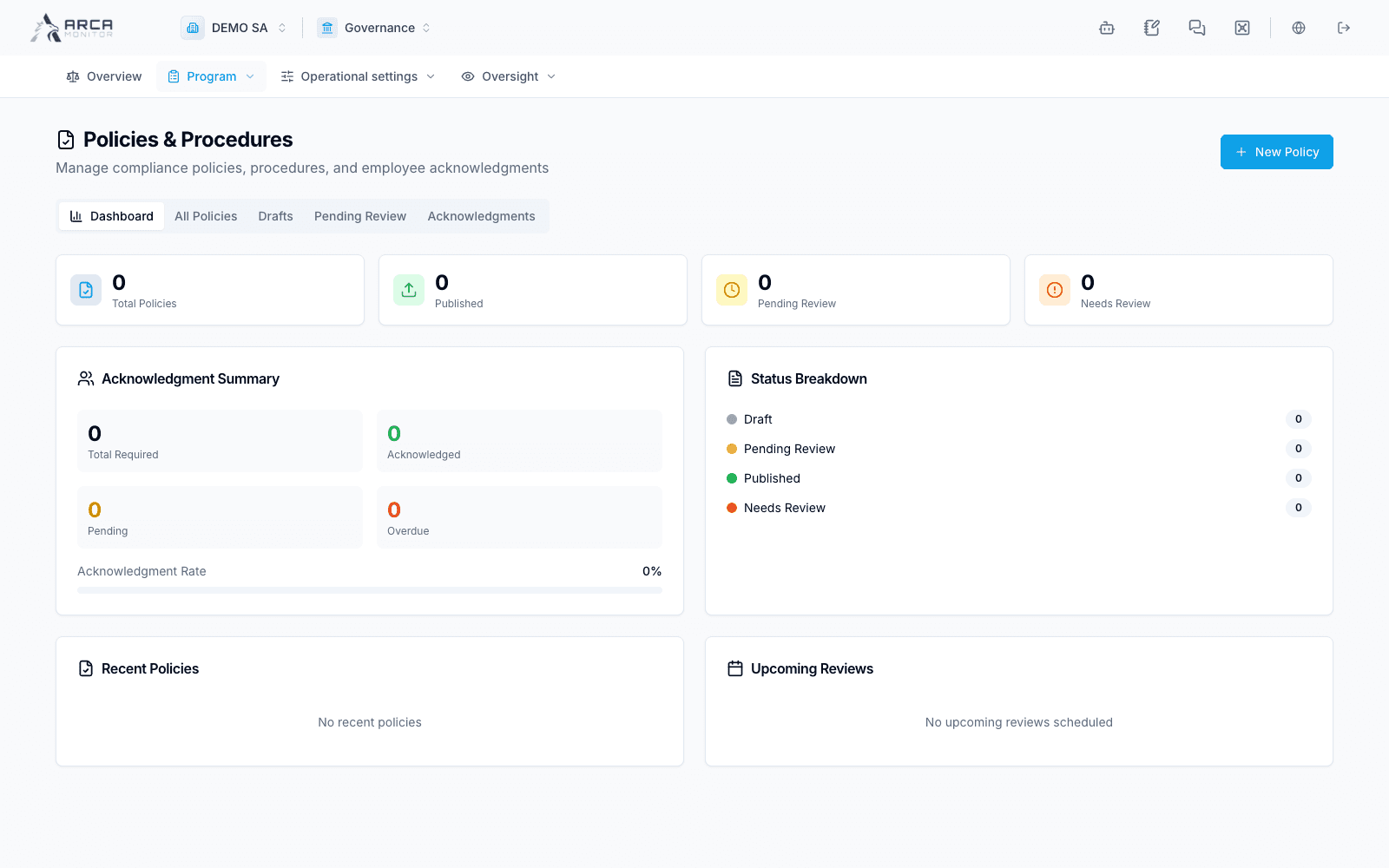
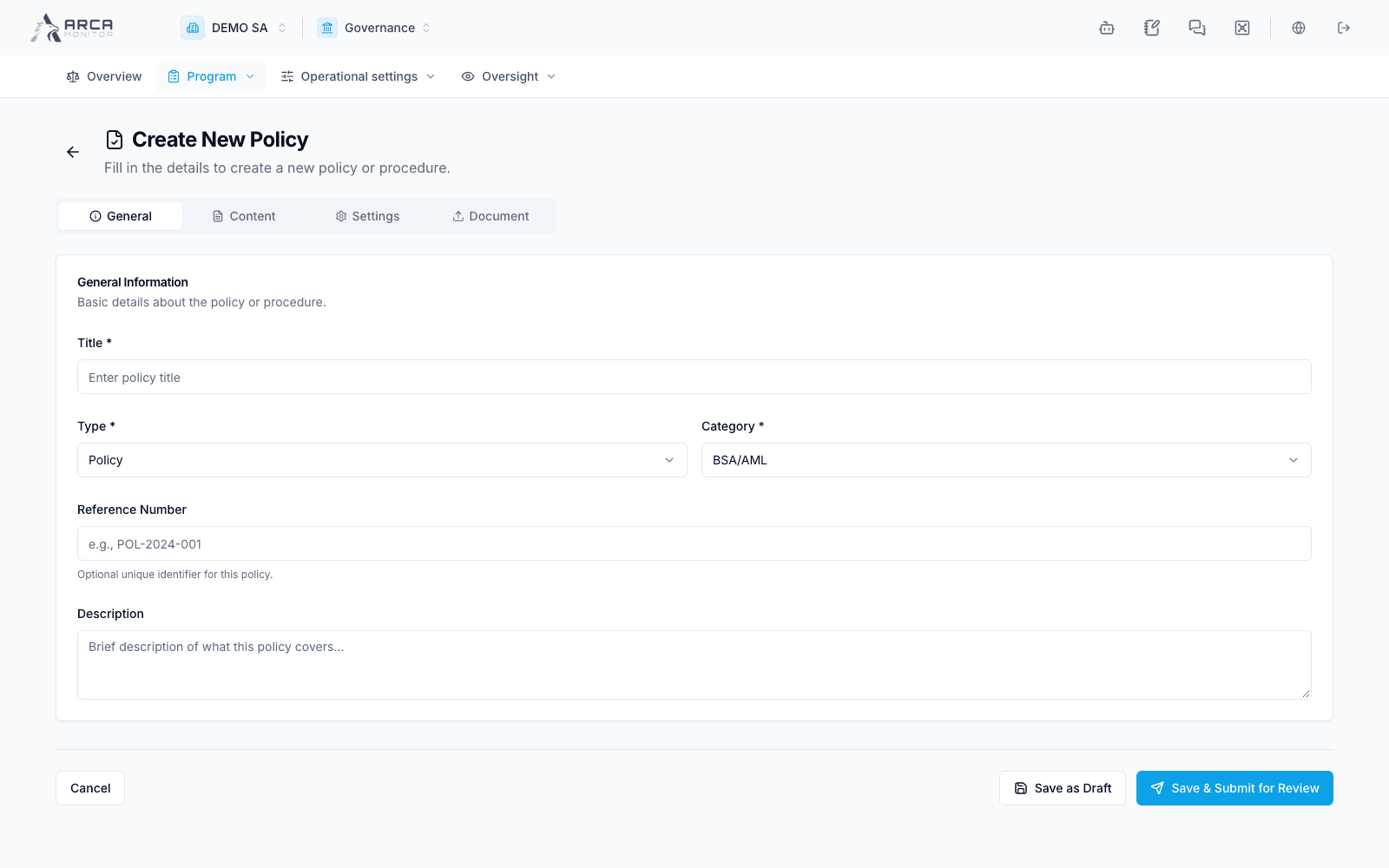
Use Program → Policies. Inspect the Dashboard, All Policies, Drafts, Pending Review and Acknowledgments views. New Policy starts a policy record; give it an identifiable title and applicable classification. Track its own review and publication state. A draft or published policy does not establish that all required employees acknowledged it; use the separate acknowledgment counts and overdue work.
Training
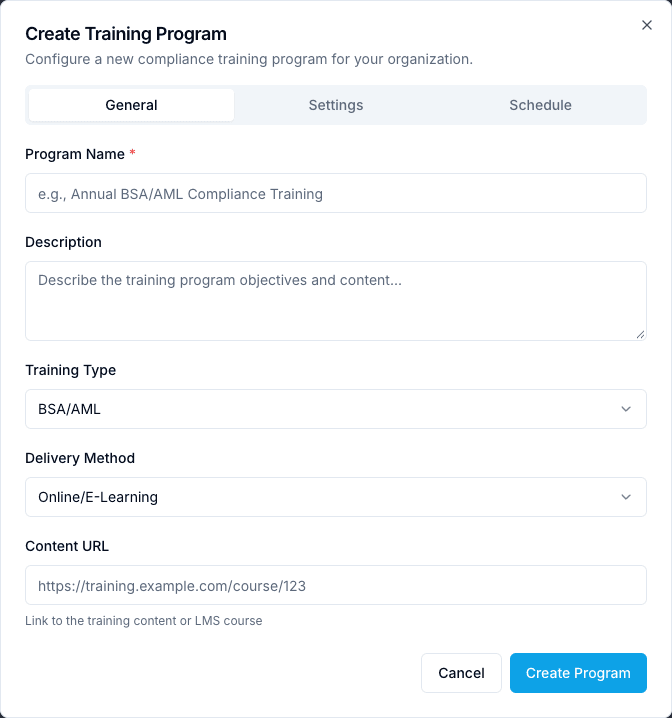
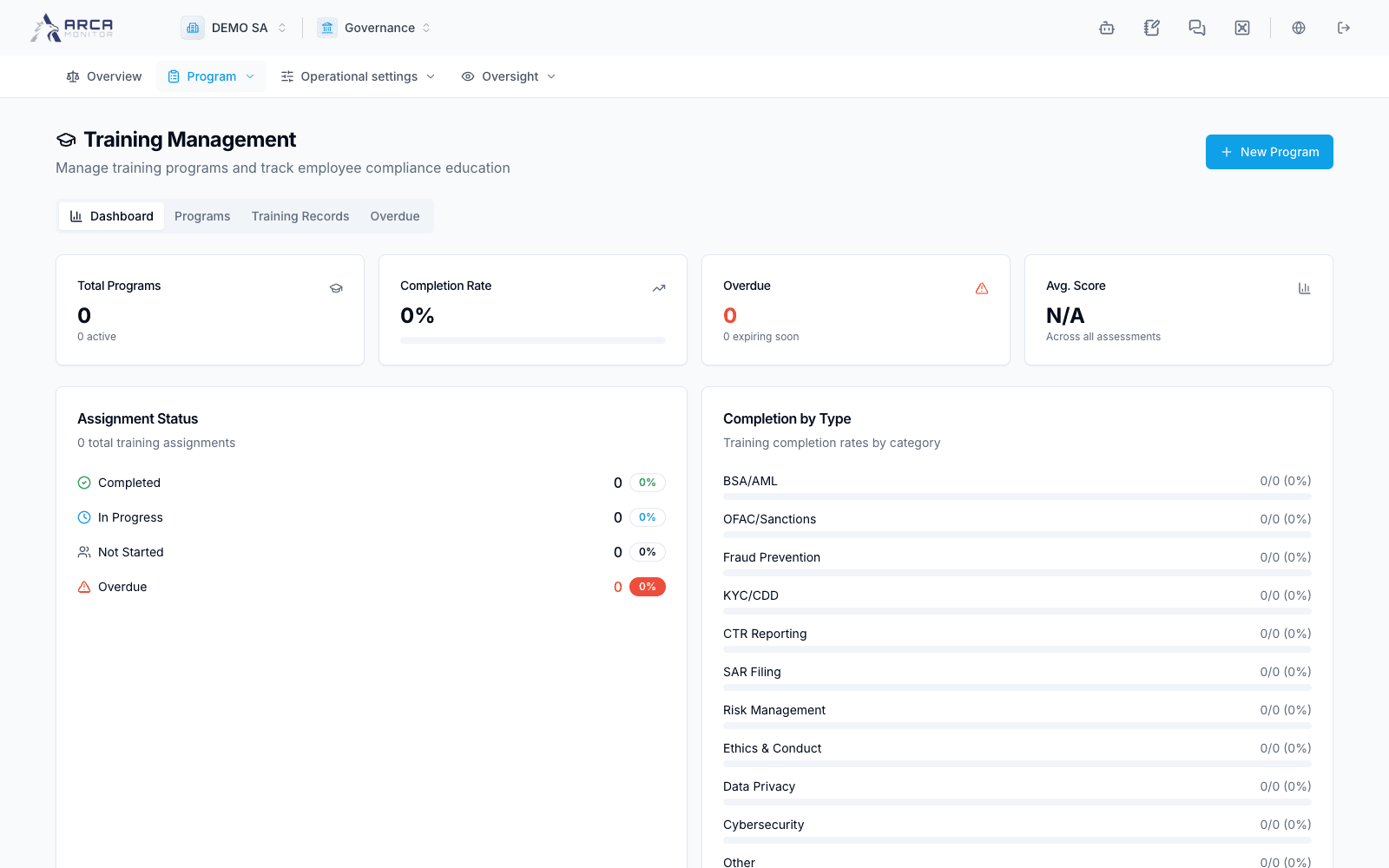
Use Program → Training. Dashboard summarizes assignments; Programs defines training offerings, Training Records follows individual work, and Overdue isolates missed deadlines. New Program creates the program definition. Check the applicable training category and requirements, then verify individual completion and recorded scores through Training Records. Creating a program is not the same as assigning or completing training.
Screens and controls
Assessment scope, methodology and categories
Policy authoring form
Training category and delivery method