History and certificates
Reopen stored screening evidence and understand what a downloaded certificate establishes.
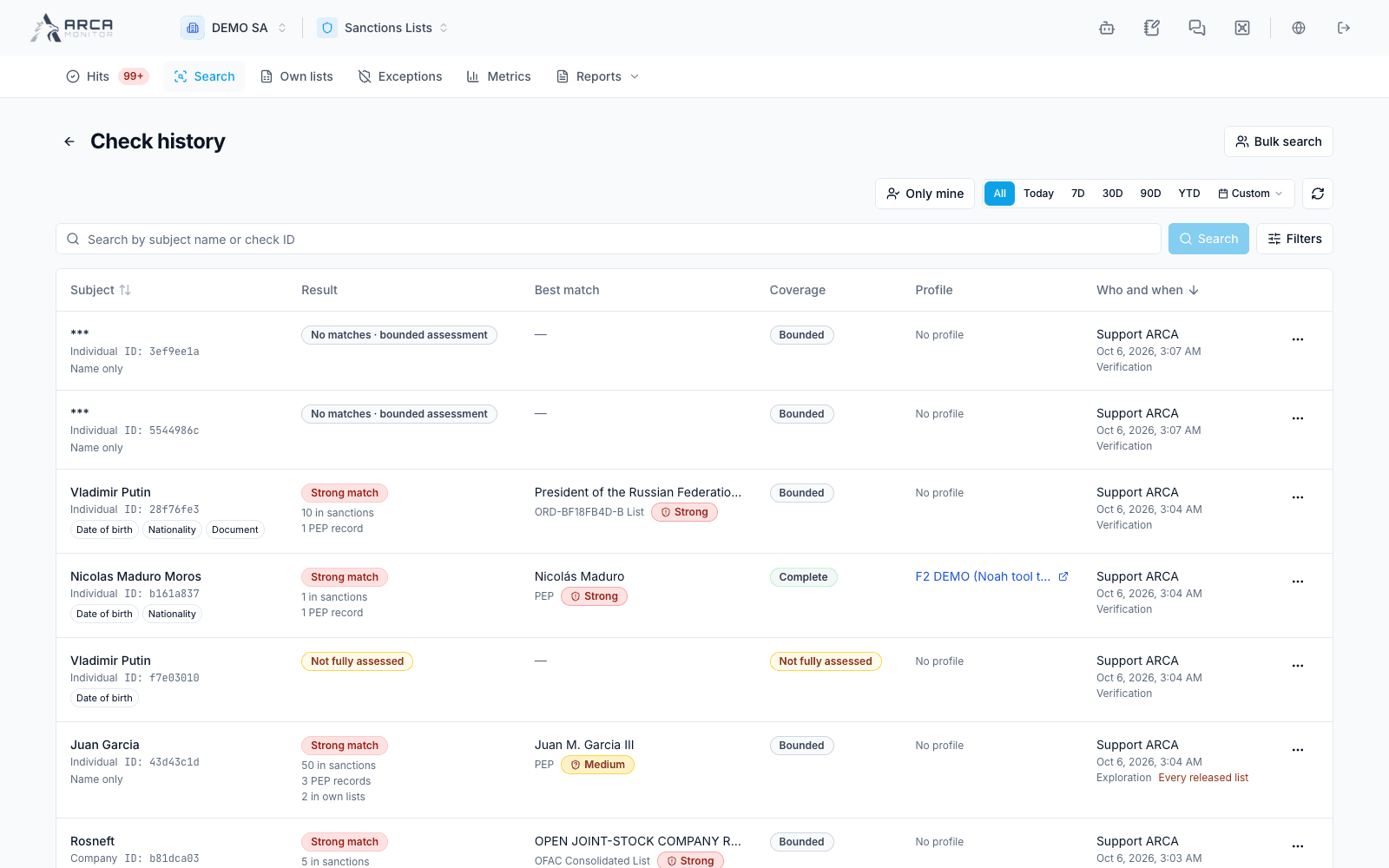
Open Search → History to find previous checks. The history is permission-scoped; a view limited to your own checks is not the entire workspace’s activity.
Reopen a check
Search and apply the available date, subject, result, and requester filters. Open a result to inspect its stored evidence, requester, creation time, and coverage. The history view reopens the saved check; it does not silently perform a new screening.
Use Repeat to return to Search with the subject’s name and supported entity type carried over. Verify all additional identifying data, mode, and scope before pressing Check. Do not assume that a repeat has already run or that every old input was restored.
Choose the appropriate output
| Output | What to verify |
|---|---|
| Search result CSV | The displayed result set, subject, source labels, and coverage statement. |
| Subject certificate | The identified screening request and its recorded completeness or gaps. |
| Batch export | The selected batch and export/filter scope, including non-clear rows. |
| Batch certificate | Run status, processed/total rows, assessment gaps, and declared bounds. |
A certificate can explicitly describe an incomplete or cancelled assessment. Read the warning before issuing and the completeness statement in the PDF. For older certificates that predate this statement, do not infer completeness from its absence.
Verify a batch certificate
Open the batch’s certificate area and use the available Verify action. Where Verify a PDF… is offered, select the copy you need to check. Read separately whether the signed data is valid, whether that PDF is the issued file, and whether source records have changed since issue.
A valid signature establishes integrity of the recorded output; it does not turn missing coverage into a completed check or establish permanent clearance. If the stored PDF is unavailable, distinguish that storage problem from verification of a retained copy.
Preserve the review trail
Keep the output with the associated request or batch reference and the relevant case or review work. Downloaded results contain the subject’s information; use the workspace’s authorized sharing process. For a changed identity or new source information, perform the appropriate new assessment and retain the earlier record as history.
Screens and controls
Search history and certificate entry points