
Search and interpret results
Check a subject with the intended scope and distinguish matches, bounded coverage, and unanswered sources.
Open Search. The default view checks one subject; Bulk search and History are separate views reached from the header buttons.
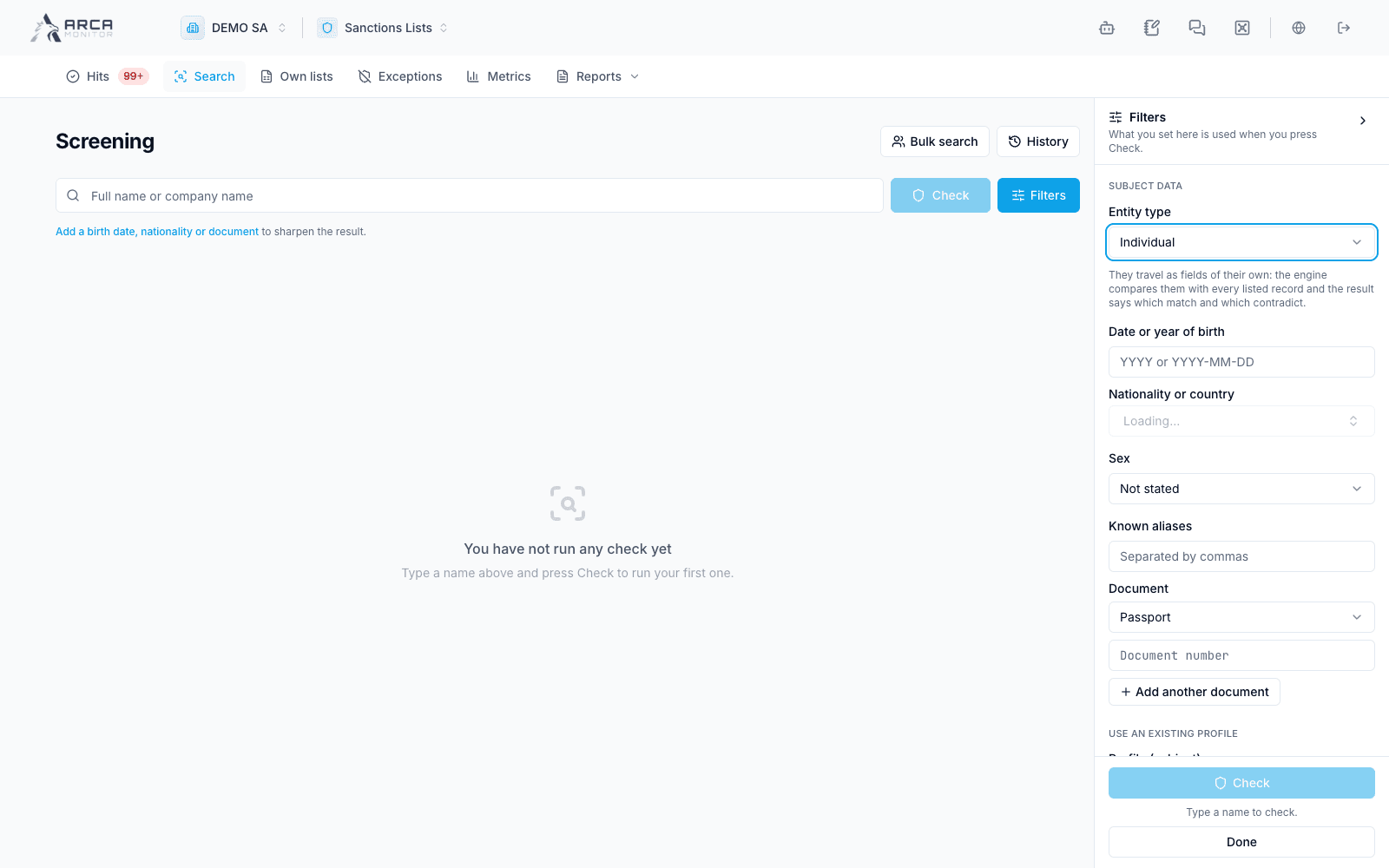
Prepare and run a check
- Enter the subject’s name. Open Filters to choose a person, company, vessel, or aircraft and provide the relevant identifying data.
- Add known birth information, nationality/country, document numbers, aliases, or the vessel’s IMO number where offered. Correct invalid fields and alias-limit messages before submitting.
- To check an existing workspace identity, use the profile selector. Verify the selected profile and loaded data; this check is linked to that identity.
- Review the mode and lists. Closing Filters keeps the entered values; it does not run a check.
- Choose Check and wait for the result. Inspect the recorded subject, type, time, sources, and coverage before interpreting matches.
Verification applies the policy’s scope and threshold. Exploration is a broader candidate search and can optionally consult all released lists. It can produce more noise. With an existing profile selected, the search is locked to Verification against the policy’s lists. To link or decide an exploration result, repeat it as Verification and review that new result.
Read coverage before the verdict
| State | Meaning for your review |
|---|---|
| Complete | The source answered for the recorded scope. Read matches and verdict as well. |
| Bounded | The assessment has a declared limit, such as candidates, returned records, aliases, time, or unavailable lists. Read what was left outside it. |
| Unanswered / not assessed | A source could not provide an assessment. This is not a no-match result. |
| Not run | The source was not requested by the policy or check. |
A repeat with identical inputs need not remove a declared bound. Add useful identifying data or follow the indicated recovery; do not repeatedly retry an unavailable list as if it were a transient connection issue.
Review candidates and continue
Sanctions results group records for the same listed entity and identify their lists. Inspect aliases and attribute comparisons. PEP strength and category are distinct from a sanctions similarity percentage. Records below a PEP cut or excluded by conflicting attributes are explanatory results, not automatically actionable matches.
An unlinked Verification can offer Create profile or Link existing profile. Compare the identity before linking; linking brings the associated matches into review. Creating from this result is offered for supported person/company types, not every subject type.
Use Repeat with more data, export, or the certificate action as appropriate. Linked results can lead to the profile or a case. See History and certificates and Review a match.