
Use a playbook
Adapt a guided prompt and inspect operational steps before execution.
Start from a template
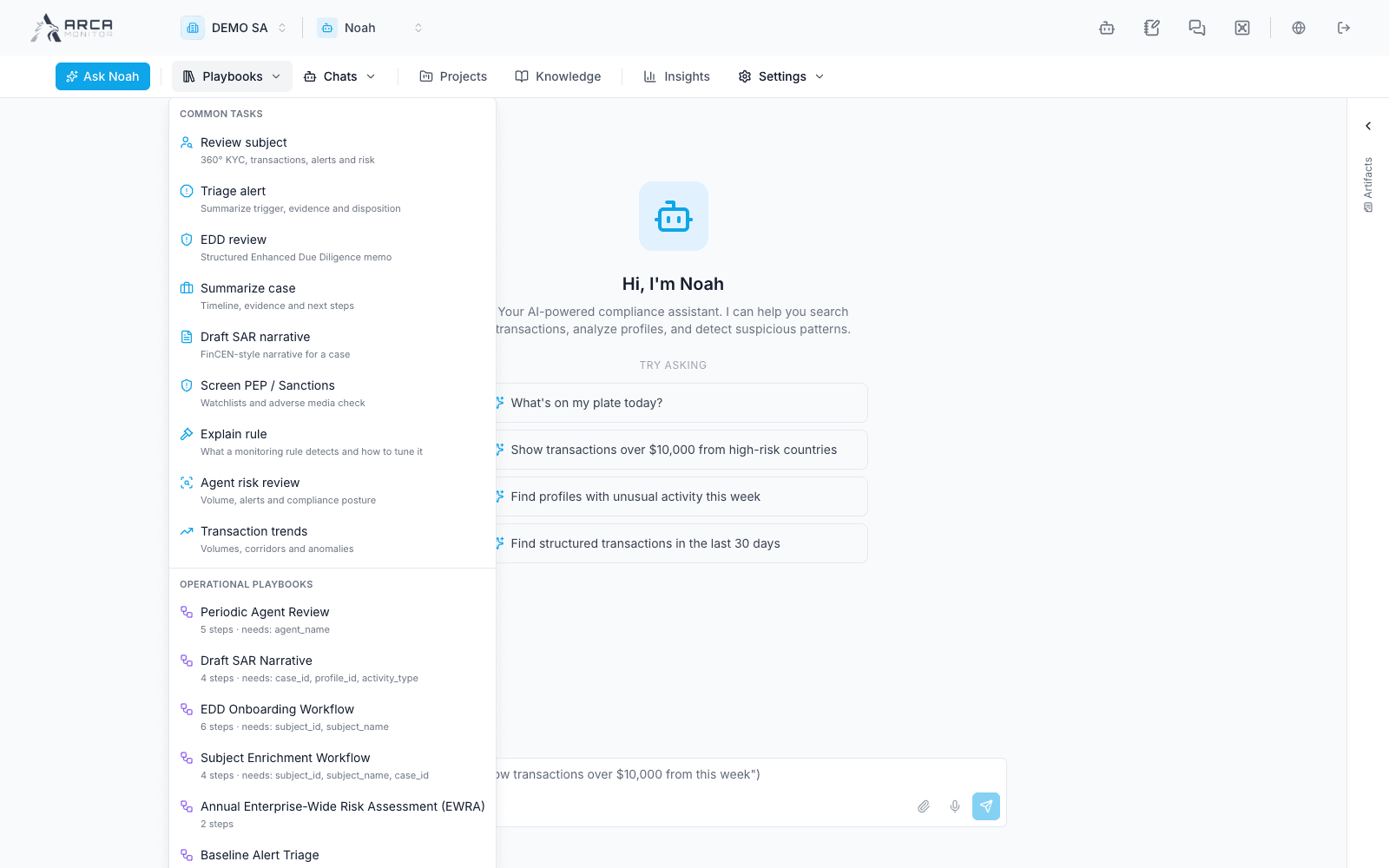
Open Playbooks. Common templates include reviewing a subject, triaging an alert, preparing an EDD review, summarizing a case, and drafting a SAR narrative. Operational playbooks can also appear when the workspace service makes them available.
Selecting a template prefills the chat input. It does not by itself complete the investigation. Read the entire prompt, replace every bracketed placeholder, and verify the subject/record, period, and requested output before sending. For an operational playbook, inspect the listed inputs and steps; do not submit a template with missing identifiers.
Follow the execution
Read the actual tool timeline and evidence. A playbook can span several operations, each subject to available tools, permissions, and policy. Follow a displayed confirmation only after checking what that step will change. A failed intermediate step means the whole objective may remain incomplete even if earlier steps succeeded.
For example, an alert-triage template can help summarize the trigger and recommend a result. Check the alert’s required playbook/evidence and apply any final disposition through its governed workflow. Noah’s prompt templates and Alerts’ required investigation checklist serve different purposes.
Verify the deliverable
Open any generated artifact and its supporting records. Review a drafted narrative before saving it into the case/report. Confirm that the intended source record was actually changed if an action executed. A recommendation to file or escalate is not evidence that a filing or escalation happened.