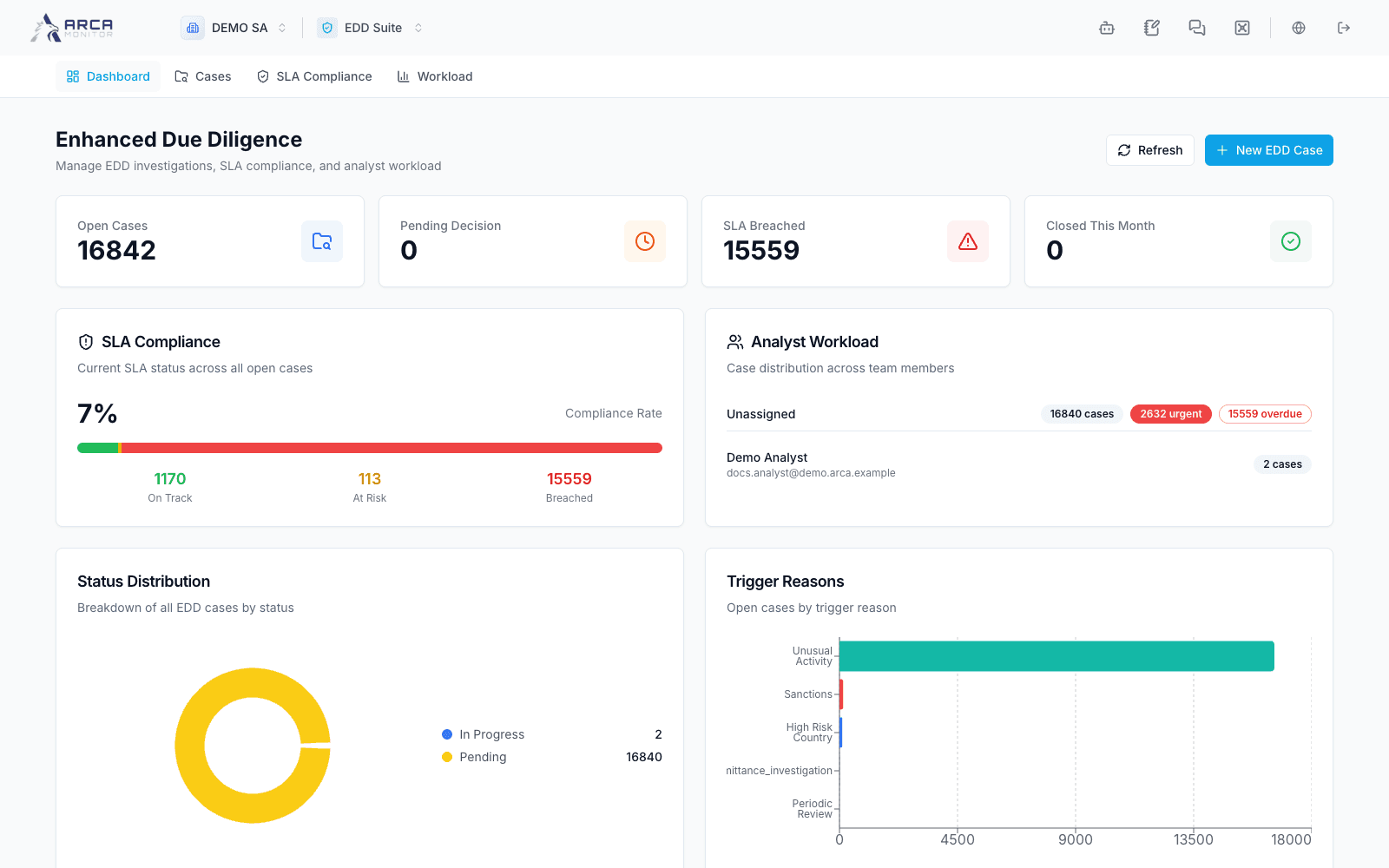
EDD Suite
Investigate enhanced due diligence cases and track their review obligations.
EDD Suite manages enhanced due diligence for a customer/entity, financial institution, or correspondent relationship. Open EDD Suite after confirming the workspace and the subject you intend to review.
Navigate the app
| Menu | Destination |
|---|---|
| Dashboard | Summary of open cases, status, triggers, and recent work. |
| Cases | Search and open the EDD case list. |
| SLA Compliance | Jump to the SLA section of Dashboard. |
| Workload | Jump to the analyst workload section of Dashboard. |
SLA Compliance and Workload are sections of the same dashboard, not separate case queues. Workspace EDD policies and templates are in Governance → Configuration → EDD. Actions depend on EDD permissions and case state.
The current EDD interface retains English labels even with Spanish selected. This guide preserves those labels so you can find the actual controls.
Keep EDD connected
Review source identity and due diligence in Profiles. A case created from an alert must retain the correct subject and trigger. If the investigation also requires an investigative case or regulatory report, follow those records in Investigations and Reports.
An EDD recommendation or AI assessment does not by itself prove that a relationship was terminated, a payment was blocked, or a report was filed. Verify the saved decision and the resulting state of each affected record.