
Billing and usage
Review the workspace plan, applications, usage and invoice history.
Read the subscription overview
Open Workspace settings → Billing. Review the current plan and status, the next charge, included applications, payment method, current usage and recent invoices. Manage apps & add-ons opens the application and add-on area.
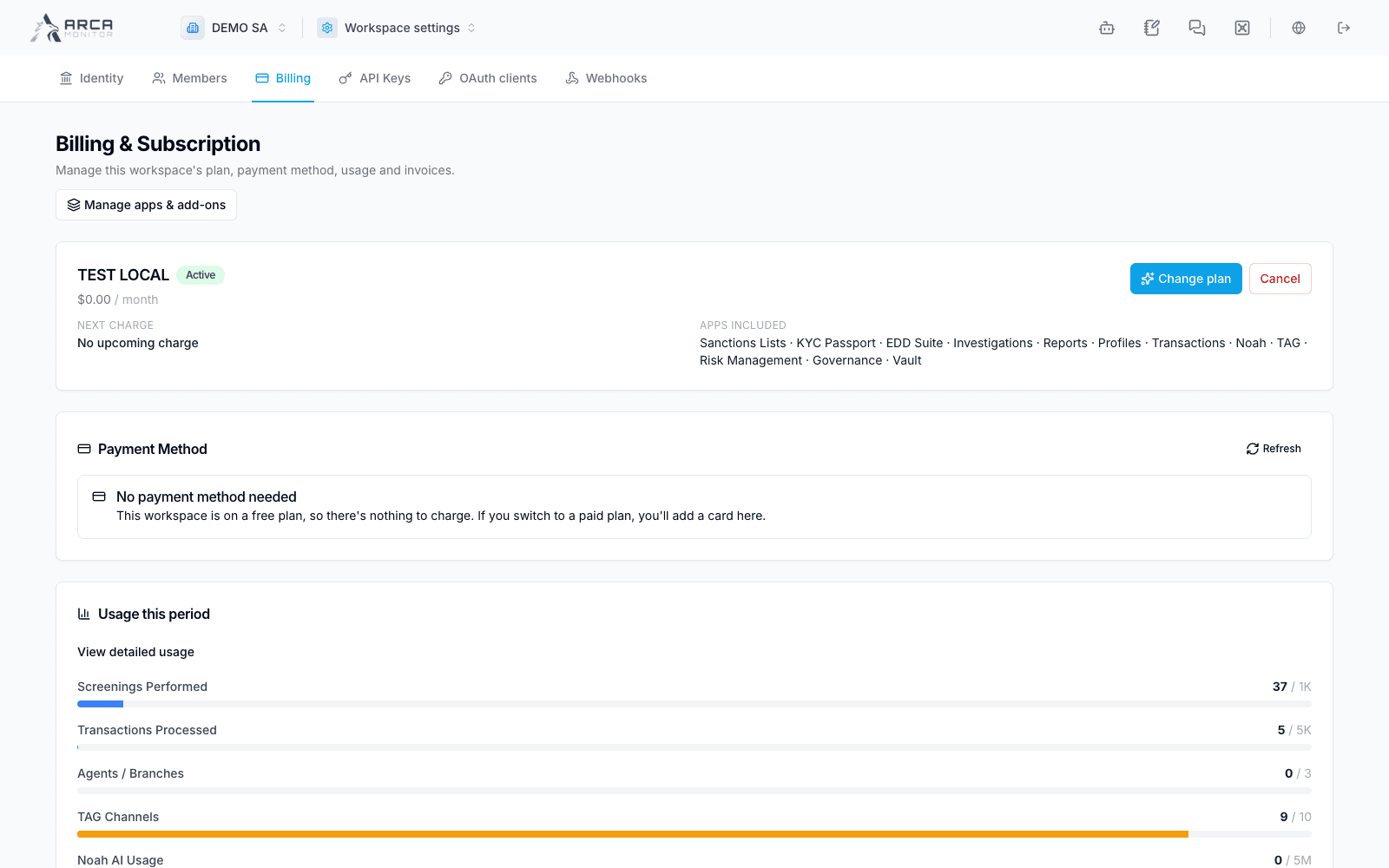
Plan and payment actions
Change plan opens the available plan choices. Review the quoted price, billing period, applications and limits before confirming a change. Cancel is a subscription action; it is separate from deleting the workspace. Follow the confirmation shown for your plan.
The payment-method card explains whether a payment method is required. A free workspace may show No payment method needed. A paid workspace can offer payment-management actions through its configured billing flow. Use Refresh after returning from the payment provider and confirm the displayed result.
Usage and projections
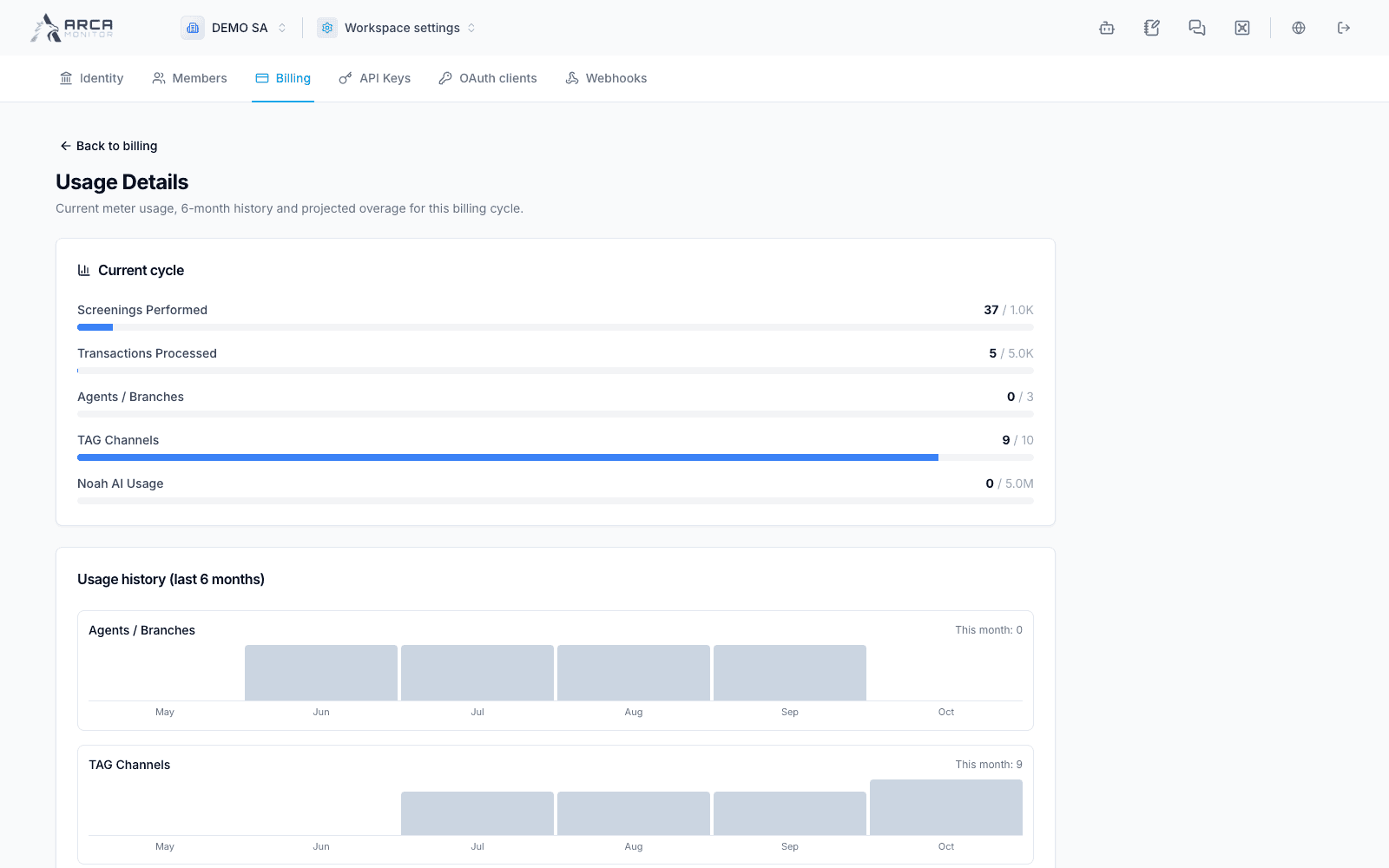
Choose View detailed usage to inspect the current cycle, the six-month charts and projected overage. Compare each meter with its own unit and allowance. Projections estimate the current cycle from observed usage; they are not final invoices.
Invoice history
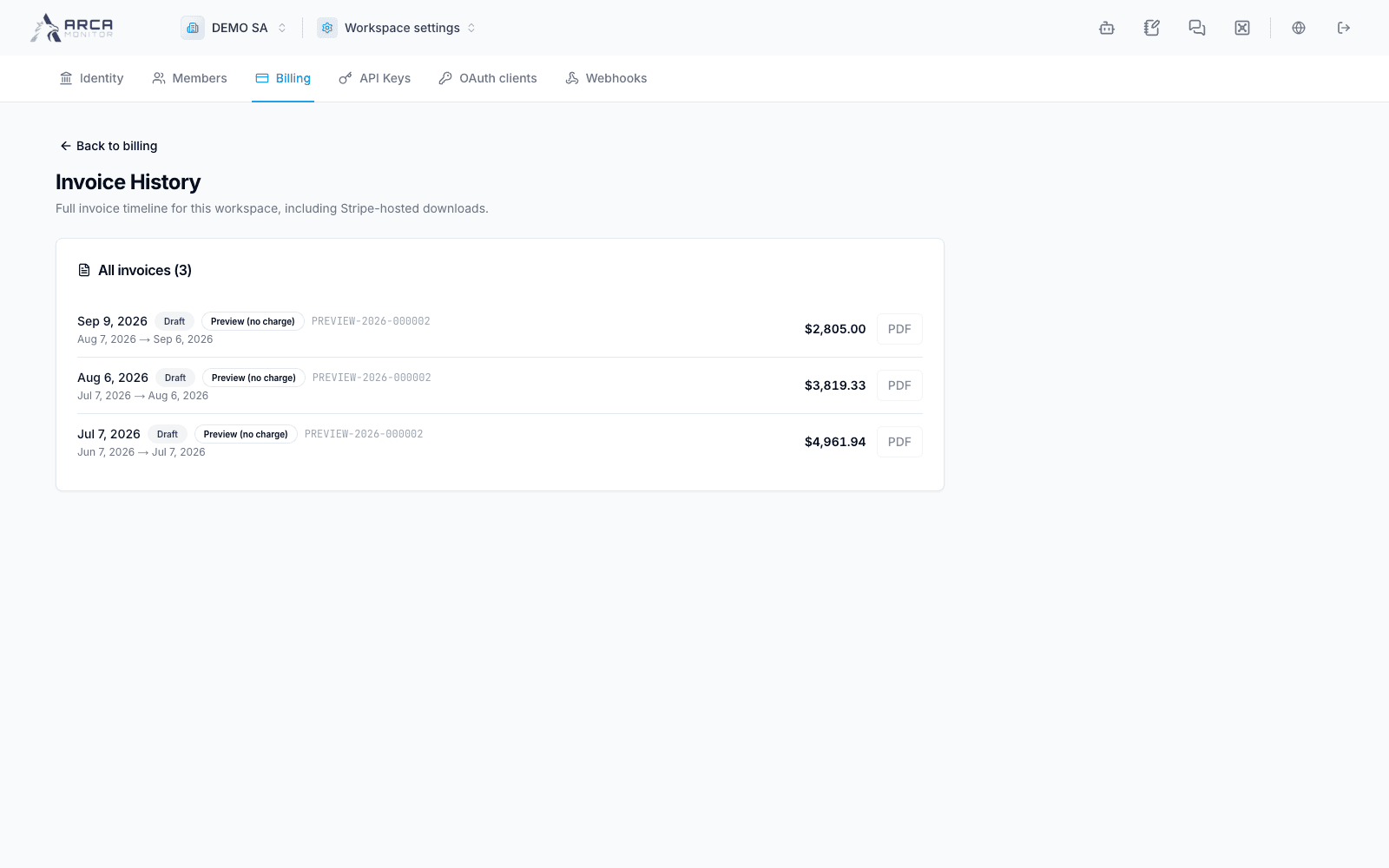
Open the full invoice history to review dates, status, covered periods, amounts and any available download. A Preview (no charge) entry is an estimate and has no issued Stripe PDF. Use a PDF action only when an issued document is available; a disabled action does not mean a download succeeded.
Apps and add-ons
Use Manage apps & add-ons to review the options offered to your workspace. Read inclusion, pricing and any confirmation before installing or changing an item. If the catalog fails to load, return to Billing and contact the workspace administrator or support. Do not assume the visible app launcher confirms an add-on purchase.
Billing access and operational permissions are separate: installing an app does not give every member all its actions. See Roles and permissions.