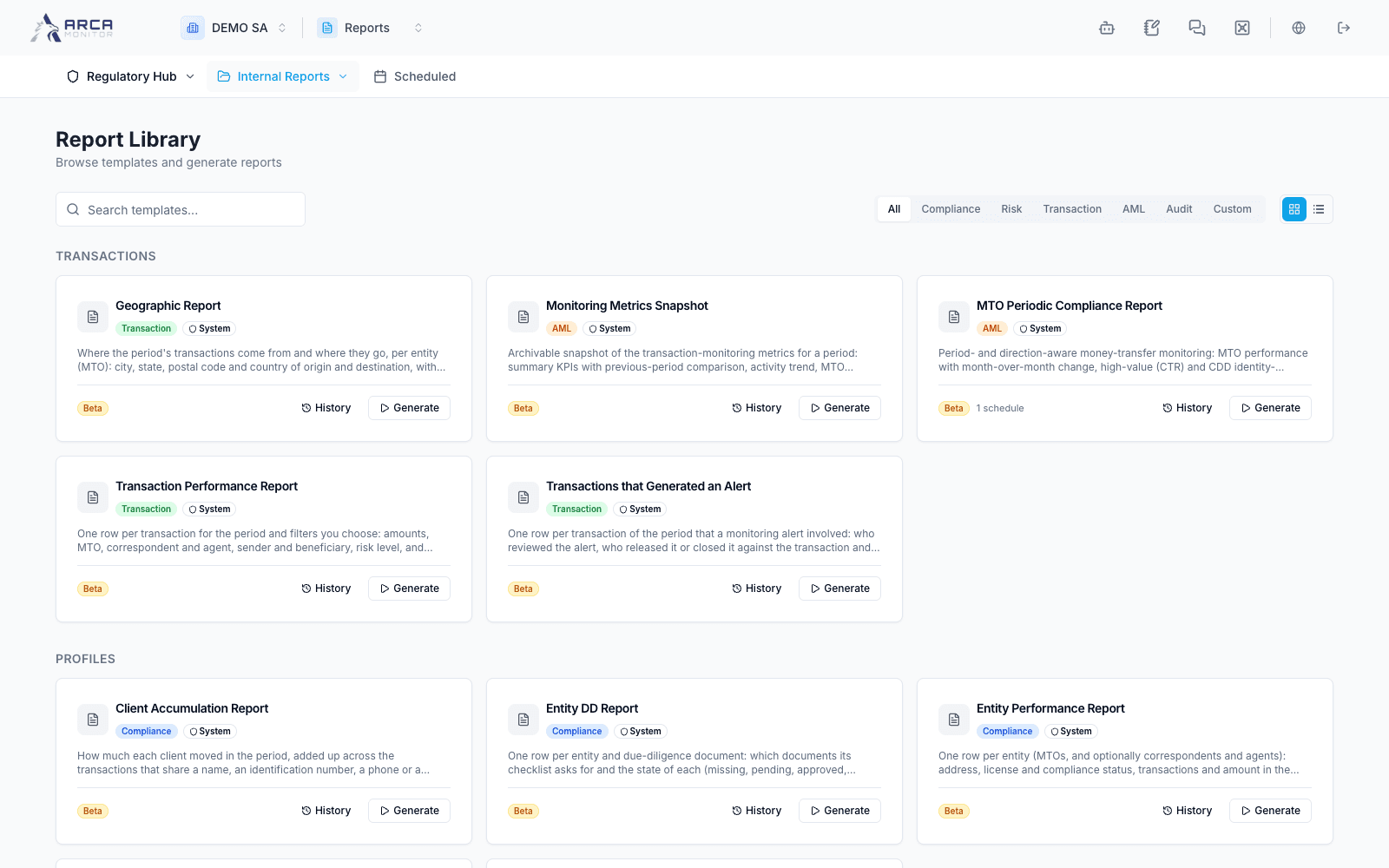
Generate from the Library
Choose a template, parameters, output format, and generation mode.
Choose the report
Open Internal Reports → Library. Browse the available categories and inspect a template’s purpose before generating it. Templates determine the parameters and formats you can use; not every report offers the same fields.
Configure and generate
- Open the template’s generation dialog.
- In Parameters, select the period, population, thresholds, or other criteria actually offered. Enable optional criteria intentionally; an empty field is not necessarily an active filter.
- In the general/settings area, enter a recognizable report title and choose a supported output format.
- Choose Now, a future date, or a recurring schedule as offered. Confirm the selected time and recurrence before submitting.
- Submit once, then locate the generation record in History. Wait for Completed before downloading.
Parameters containing additional data access are shown only when your account has the relevant permission. If the requested field is absent, confirm authority and template support with the workspace owner.
Verify the output
Check title, period, currency/unit labels, selected entities, and whether the file contains the expected rows or sections. An empty report can be a valid empty scope; compare parameters with source records before generating again.
Current report delivery keeps outputs in report history; email delivery is disabled in the reviewed implementation. Do not assume a recipient field or stored address means that an email was sent. Share through the available authorized workflow after checking the completed file.