Bulk screening
Upload subjects, follow a server-run batch, and investigate incomplete or failed rows.
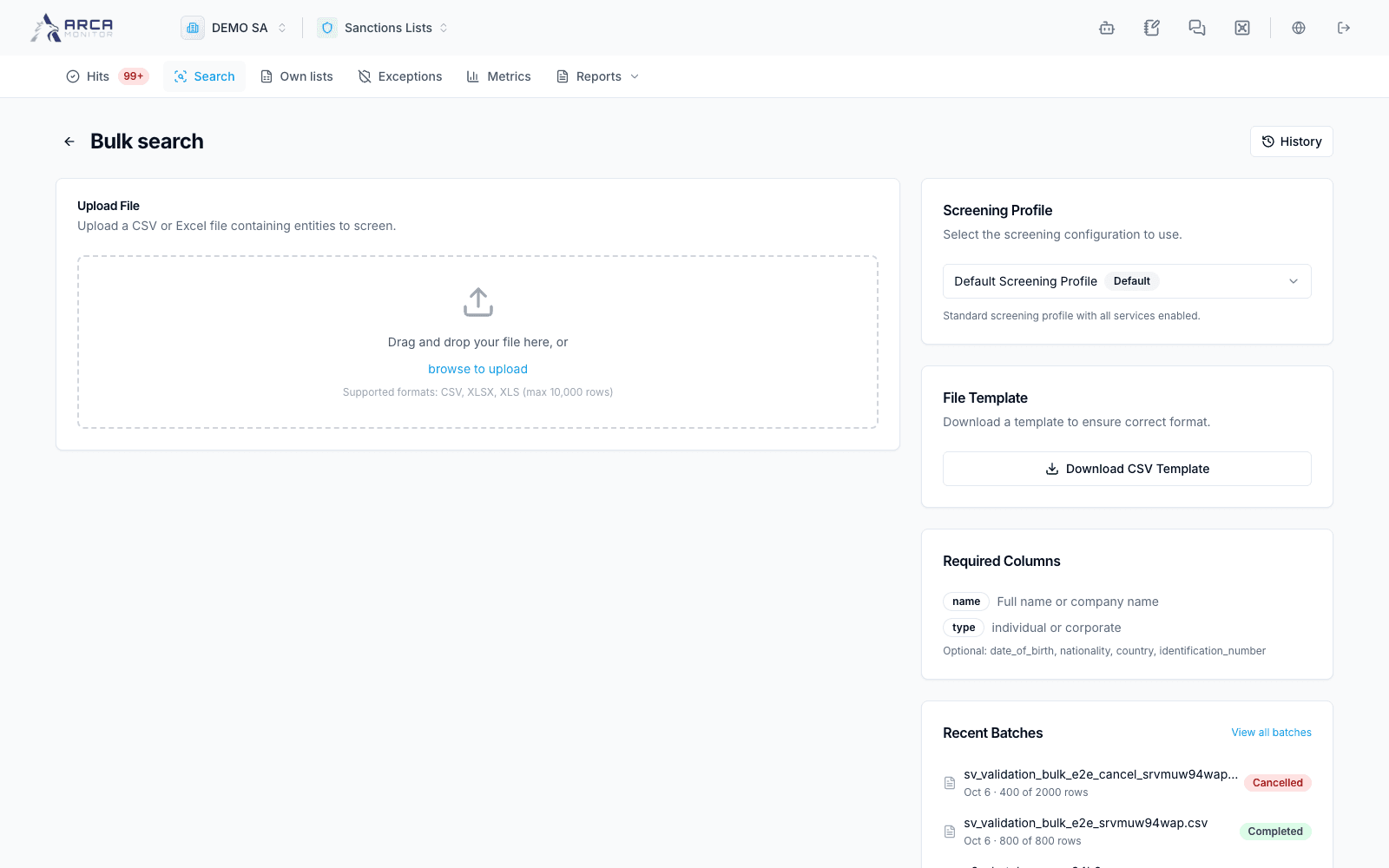
Open Search → Bulk search. This screens a file of subjects. To import a reusable source list into the workspace, use Own lists instead.
Prepare the file
Download the CSV template from the page. Its example columns include name, type, date_of_birth, nationality, country, and identification_number. Replace sample rows with the subjects you intend to check, preserve document formatting, and use the expected date and type values.
Choose the intended screening policy and upload a supported CSV or Excel file. Parsing and starting the screening are separate steps: inspect the accepted row count, rejected rows, filename, and policy before starting. An accepted file does not mean all its rows were accepted.
Start and follow the batch
- Select Start screening after reviewing the parsed file.
- Inspect progress and processed/total counts. The server runs the work; leaving the page stops your local progress view, not the batch.
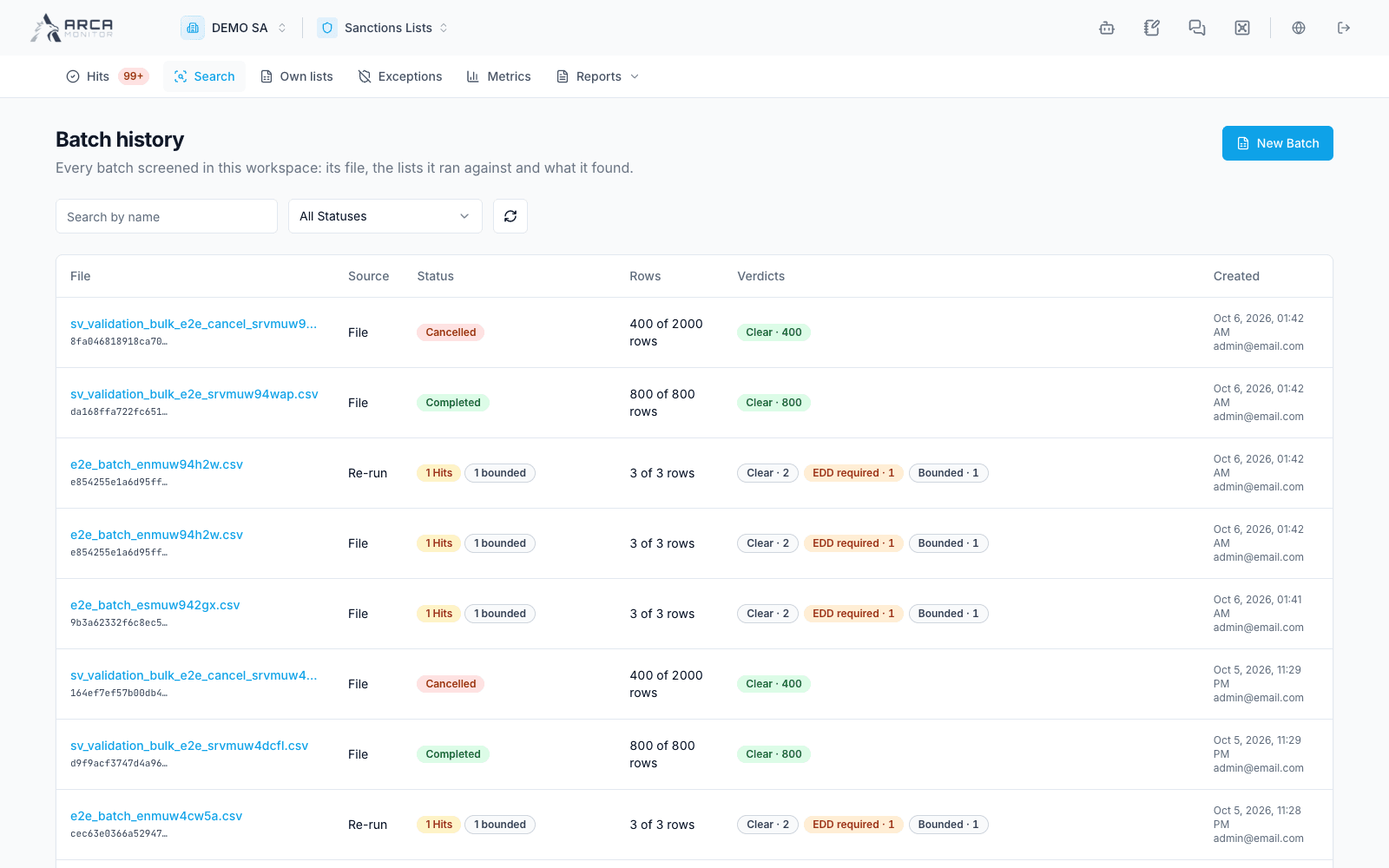
- Reopen the batch from recent batches or batch history to follow the same run.
- At completion, review rows with matches, failed rows, and rows not assessed. Open the detailed batch view for the full set, filters, and individual evidence.
- Follow actionable matches into their review workflow. A completed batch does not mean every subject was clear.
Recover without losing context
A progress-refresh failure is not proof that processing stopped. Reopen or refresh the existing batch before starting another. A paused or stalled run may offer Resume screening; read the stated cause and returned status.
Cancel pending rows stops the remaining work and retains rows already processed. Inspect the resulting counts. A cancelled or partial run cannot be described as a complete no-match check. If a re-run is offered, treat it as a separate assessment and inspect its relationship to the previous batch.
Coverage limits and unanswered sources can exist on rows that also have matches. Check both the row outcome and its coverage notice. Export CSV/Excel for the needed scope, and read the completeness warning before issuing a certificate.
Screens and controls
Batch history and processing states