Noah
ARCA MONITOR / USER GUIDE
Add and verify Knowledge
Upload personal references and wait for indexing before relying on them.
Understand visibility
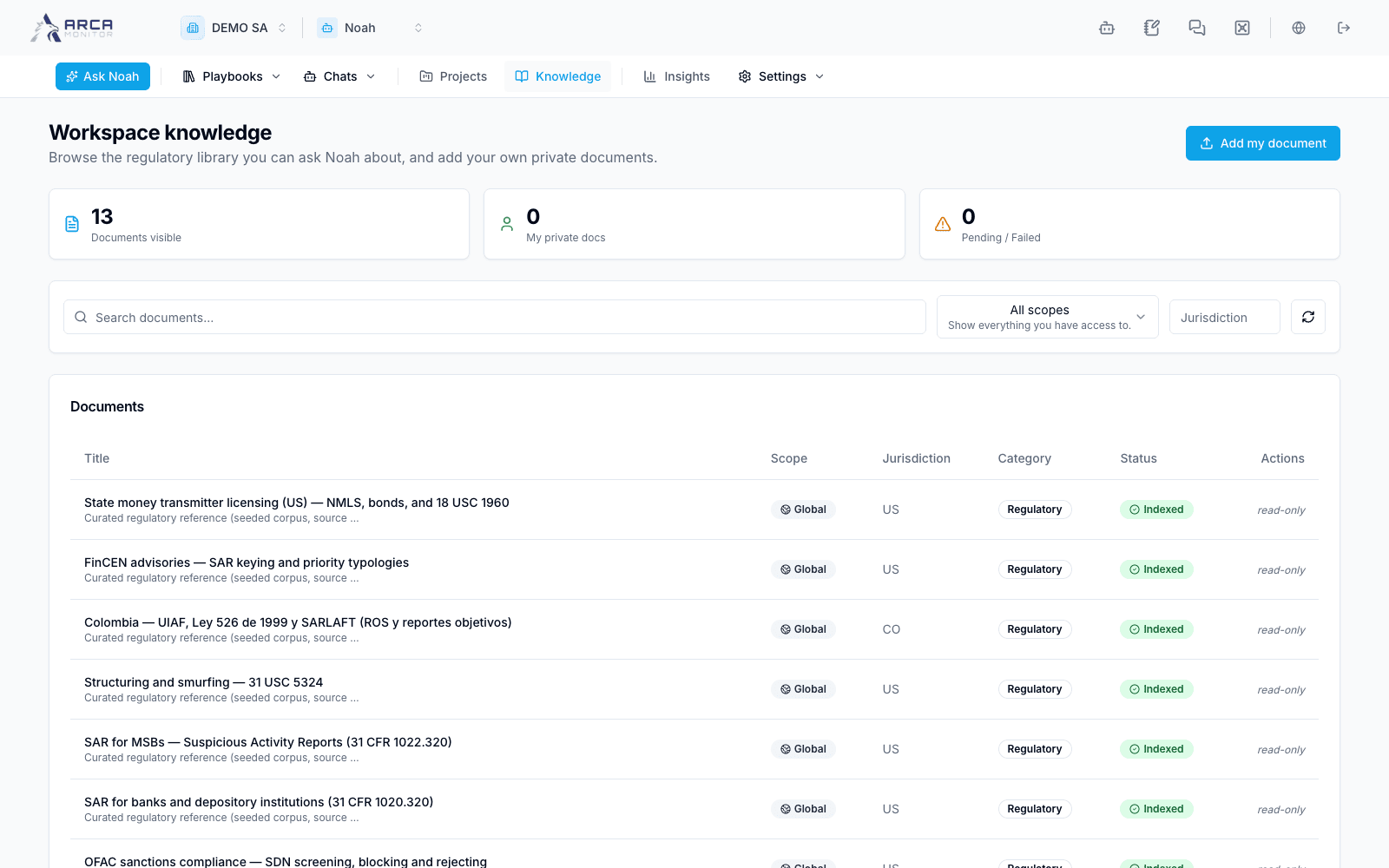
Open Knowledge. The list can include Global, Workspace, and Mine documents that your account is allowed to see. Search and filter using the available controls. A document’s scope describes its audience; it is not its processing state.
Add a personal reference
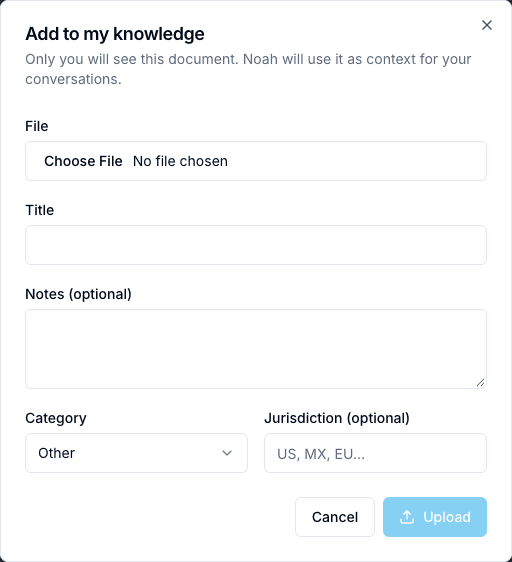
- Choose the upload action to Add to my knowledge.
- Enter a title, optional description, and category such as policy, procedure, guidance, FAQ, or other.
- Select the source file. The current picker accepts PDF, DOCX, DOC, TXT, and Markdown; acceptance by the picker still requires successful server processing.
- Supply the jurisdiction code when relevant and inspect the selected document.
- Upload and confirm the record appears with the personal Mine scope. This form uploads for your user; it does not publish a workspace-wide policy.
Follow processing
| State | Meaning for your next step |
|---|---|
| Pending | Wait for processing to begin. |
| Processing | Indexing is still running. |
| Indexed | The document has reached its indexed state; validate relevant retrieval in a consultation. |
| Failed | Inspect the failure and coordinate correction/re-upload. |
Refresh before relying on a newly uploaded reference. A successful upload is not a completed index. Use current, attributable source documents and inspect Noah’s references when asking about them.
Delete only a document you are permitted to remove and verify the confirmation. Removing a reference does not rewrite answers already stored in past conversations; revisit those conclusions if the source was incorrect.
Screens and controls
Private document intake