Metrics and reports
Compare portfolio scope, period-based activity, and profile report outputs.
Use Metrics for a portfolio view and Reports for generated application reports. Keep their scopes and generation times explicit when sharing conclusions.
Explore the portfolio
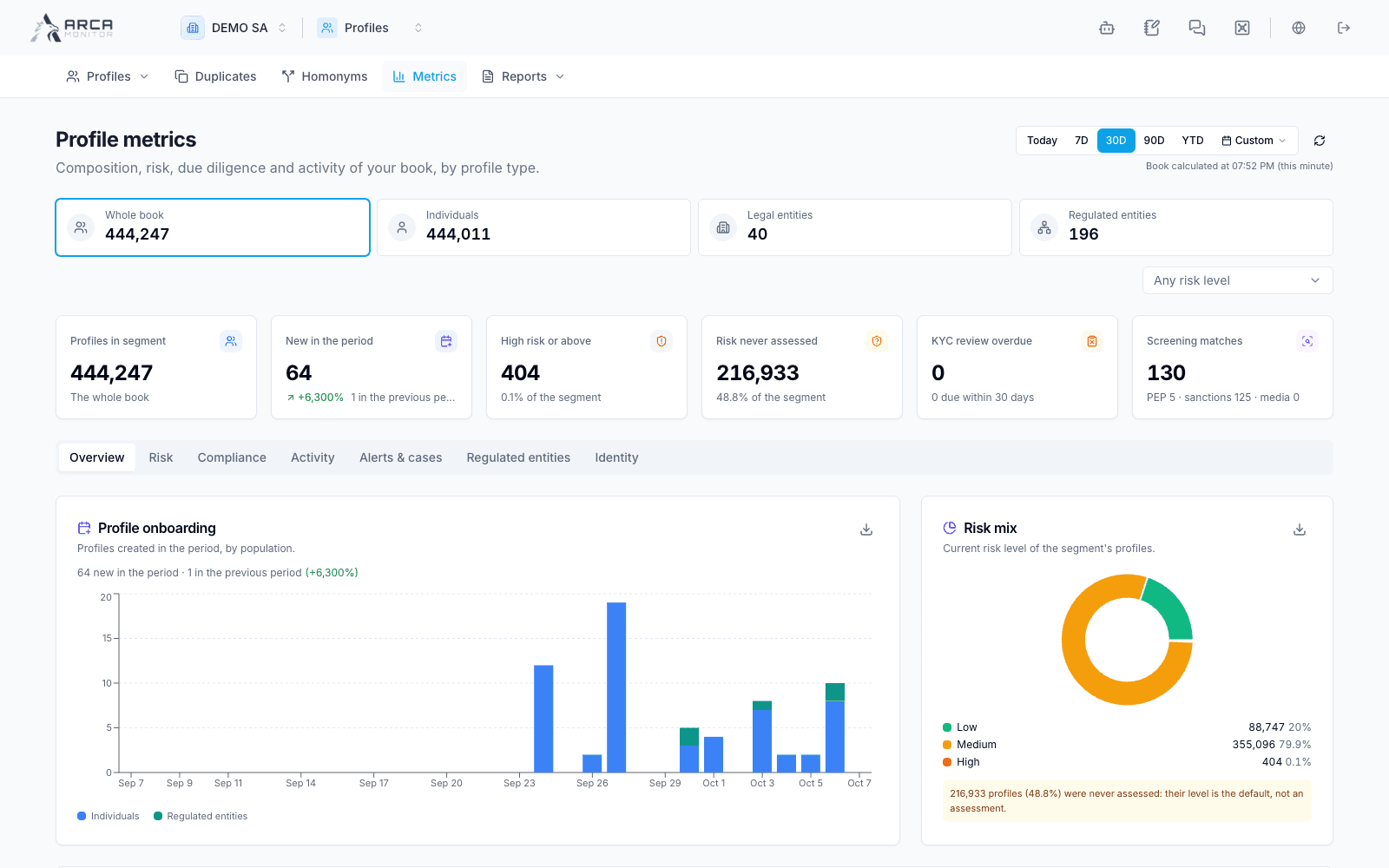
Open Metrics, choose the population, entity types, risk filters, and period relevant to your question. Changing population can change the valid type choices, so recheck the selected segment afterward.
The dashboard has Overview, Risk, Compliance, Activity, Alerts & cases, Regulated entities, and Identity areas. Follow the available drill-through links to the underlying profiles or work items rather than interpreting a chart without its records.
Distinguish the current portfolio snapshot from flows during a period. For example, total profiles and profiles newly registered during the selected period answer different questions. The period does not turn every snapshot card into a historical reconstruction.
If the selected range exceeds the supported limit, narrow it as requested. A failed or unloaded panel is not a zero count.
Generate an application report
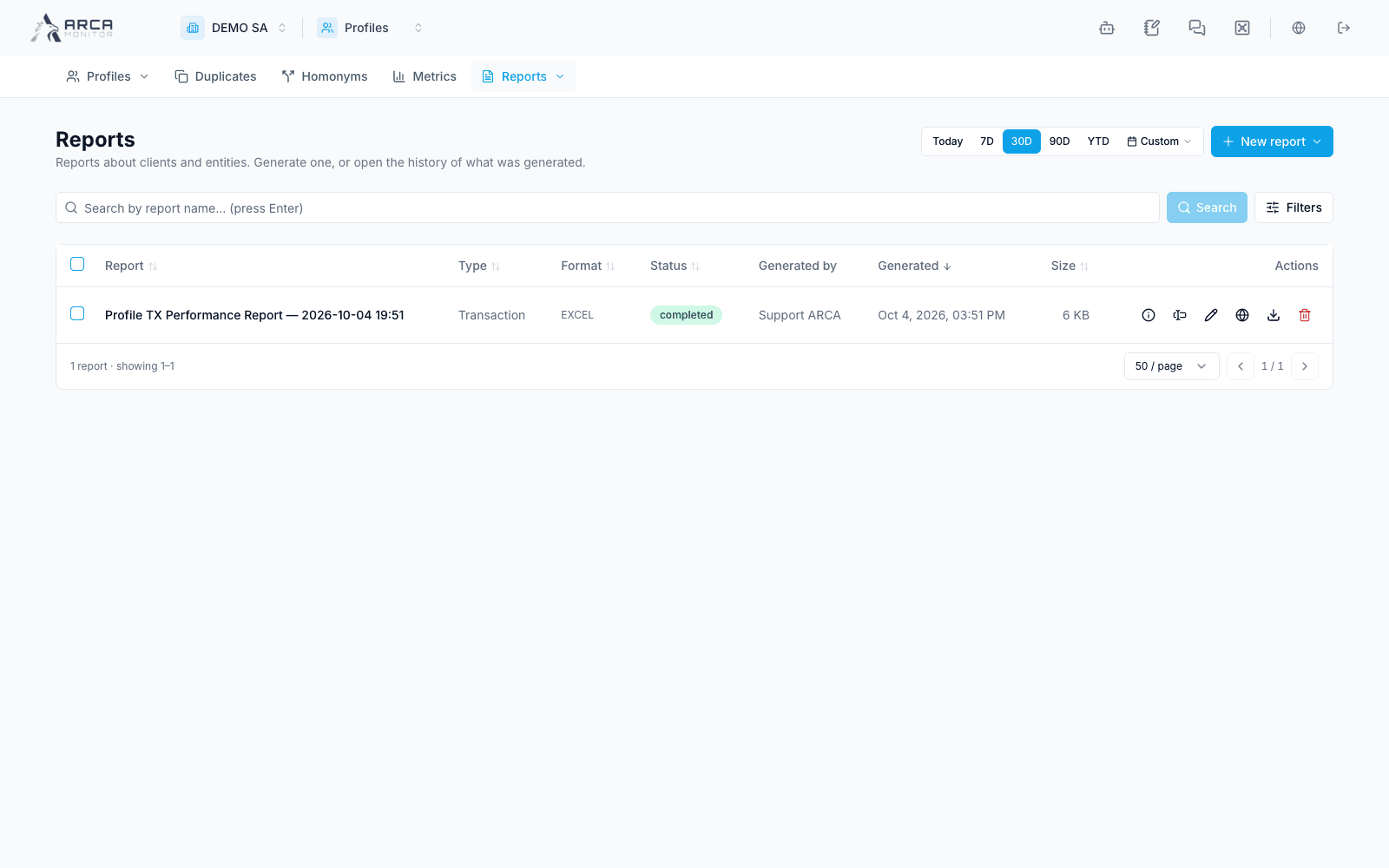
Open Reports in the Profiles navigation. A report-specific entry opens its generation history; All reports shows the app’s report history. Report cards are available in the reporting Library.
Choose the report, review its parameters and settings, and submit through its generation action. Follow the resulting entry until it completes or reports an error. Verify the chosen workspace, period, filters, and generation time before downloading or using the output.
Review the output before sharing
Check the report's subject or population, selected parameters, included information, and generation status. Use the preview or download action actually offered by that report. Do not assume every report produces a PDF or includes all personal data visible in the application.
Keep the output with its report reference and generation context. Follow the displayed availability or retention information for older results; a history entry alone does not establish that a file remains downloadable.
Investigate unexpected results
| Question | Check |
|---|---|
| Why does a total differ from the list? | Population, entity types, risk filters, date basis, and snapshot versus period flow. |
| Why is information absent from a report? | Selected report, filters, included sections, and access permissions. |
| Why is a report not ready? | Generation status and its error or pending state. |
| Why can’t an old artifact be retrieved? | The report’s current artifact availability and retention information. |
Preparing or exporting a report is not a regulatory filing. Follow the relevant reporting workflow for any subsequent review or submission. Continue in Review a profile when a reported result needs investigation.
Screens and controls
Profile metrics
Profile report history