
Screening a profile
Inspect assessment coverage and matches, then follow the appropriate disposition or exception workflow.
Open Screening in the profile. Review assessment coverage and freshness before interpreting a match list. Not assessed, unavailable coverage, and a completed check with no matches are different results.
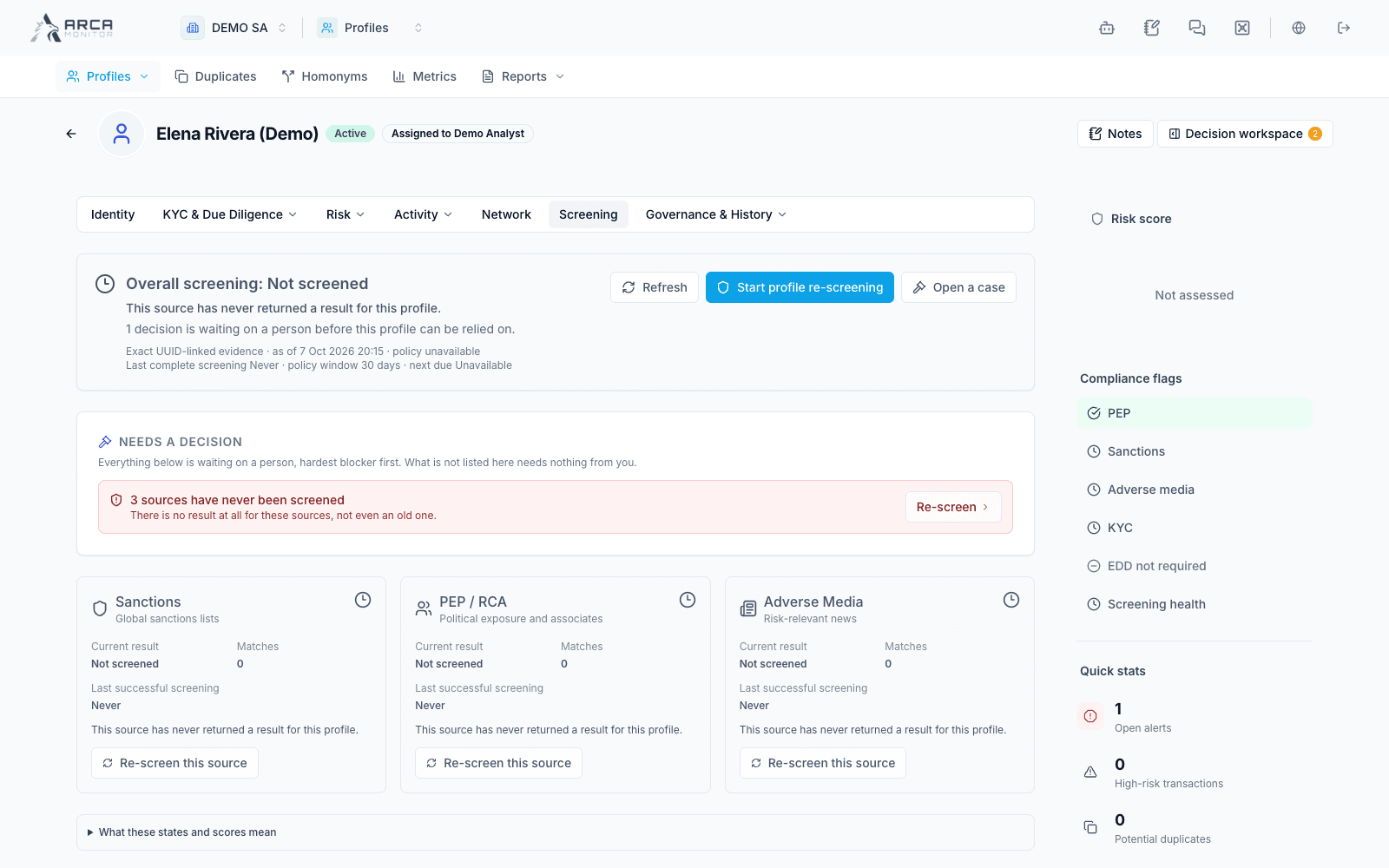
Read the current assessment
Check which sources were assessed, when they ran, and whether their results are current. Use the execution history for prior runs. If the platform shows a coverage gap or unavailable source, include that limitation in the review; absence of a visible match does not resolve it.
To request another assessment, use the available re-screen action, review the selected source types, and confirm. The response can report a newly queued run or an existing queued run. Follow that run’s status instead of submitting repeatedly.
Examine an individual match
- Open the match and inspect its source, similarity information, matched identity, and evidence.
- Compare identifiers and biographical or business details with the profile. A name or score alone is not an identity decision.
- Review any existing disposition, proposal, or case reference.
- Choose the offered decision: true positive, false positive, or escalate, as supported by your role and the match state.
- Select a reason category, provide the rationale required by the workspace policy, and add supporting evidence references where requested.
- Submit and read the outcome: the decision may be applied immediately or remain a proposal for another reviewer.
Do not assume every disposition requires the same approval path. The current policy can apply some false-positive and escalation decisions directly while reserving other outcomes for independent review.
Review a pending proposal
An eligible reviewer opens the proposal, examines its evidence and intended effect, and uses the available approval or rejection action. The interface explains restrictions such as self-review or invalid proposal integrity. Refresh and inspect the match after the decision.
Exceptions are a separate decision
A suppression or whitelist request concerns future treatment of a specific list entry. It is not a disposition of the current hit. Review its scope, verification method, reason, and any case reference before requesting it.
The request suppresses nothing until the required independent approval is complete. Check the exception status and effective scope separately from the match’s own resolution. Acknowledging a monitoring notification also does not establish a false positive or approve an exception.
When evidence is incomplete
Use escalation or case follow-up when appropriate, and preserve the uncertainty in your rationale. Read truncation notices on long match or evidence lists. Continue with Risk and review decisions to place the screening result in the broader profile review.