
Decide, escalate, and verify
Distinguish a direct outcome, a proposal, and a case handoff.
Record an outcome
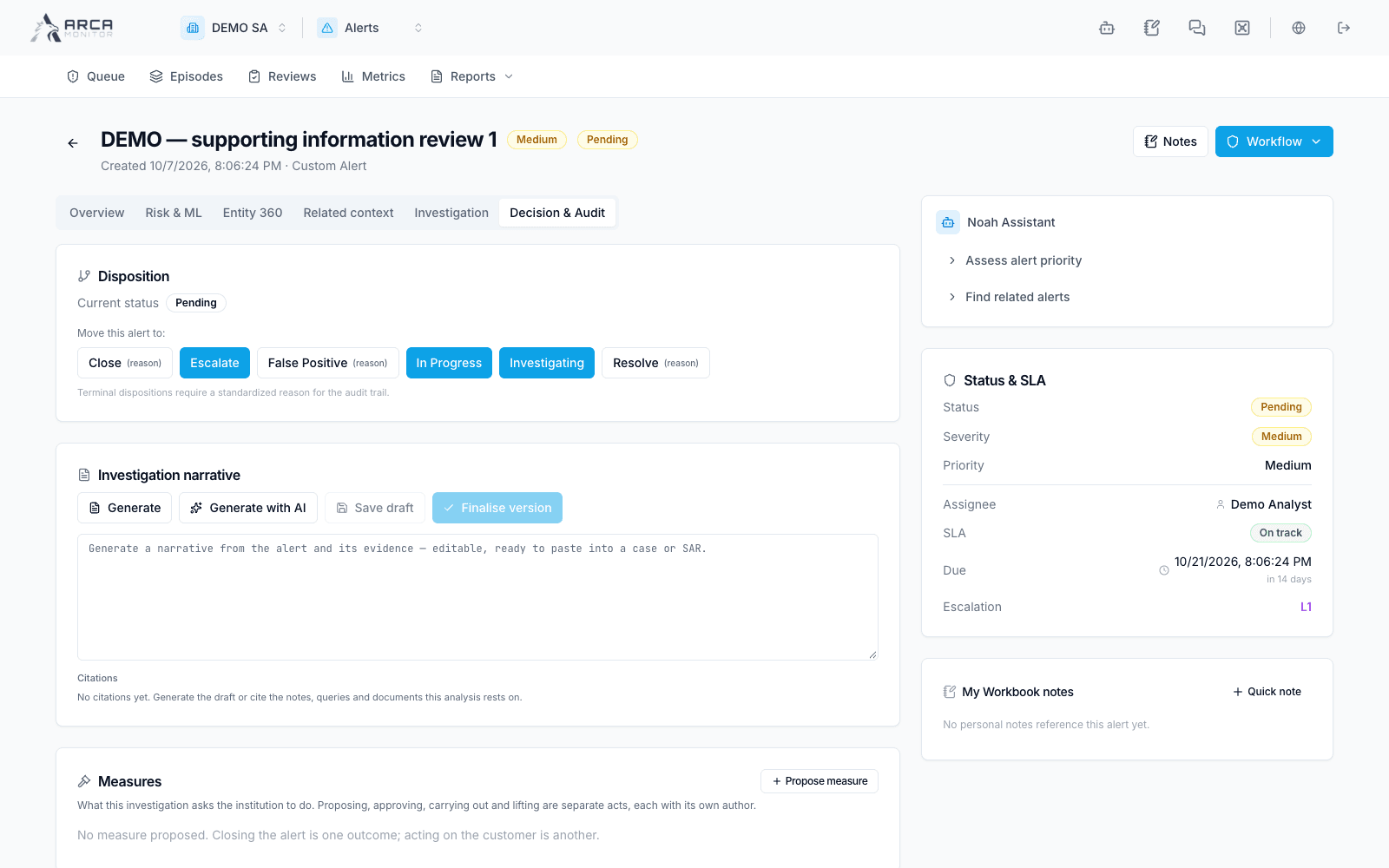
Read the investigation and Decision & Audit area first. The available transitions depend on current status, authority, and workspace controls. Select the offered result, choose a compatible catalog reason, and explain the evidence behind it. Other, Insufficient evidence, and Below threshold require an explanatory note.
The server can refuse a decision because required playbook steps are incomplete, an independent approval is required, or the alert has changed. Complete the named requirements or use the review proposal path. After a conflict, work from the refreshed record instead of repeatedly submitting the old decision.
A successful proposal is not necessarily an applied disposition. Check its pending-approval indicator, the alert’s actual status, and the event history. Where required, another authorized person must review the decision packet in Reviews.
Escalate the work
Escalate records the escalation and its reason. Create case opens an investigation from the alert; if already linked, use Continue case. Read the returned case identifier so work stays attached to the existing case. Escalate to EDD creates the corresponding due diligence work when available; inspect its subject and trigger.
Creating a case does not stand in for the case conclusion or regulatory filing. Continue those tasks in their owning apps. Likewise, an alert disposition does not directly replace a transaction’s approve/reject/release workflow.
Revisit a decision
A terminal alert offers Reopen only when permitted. Review material changes and prior decisions, then record the new work through the available workflow. Control measures and their approvals have their own state; verify each applied measure separately. Use audit events to confirm who performed an action and when.