Review a transaction
Read the record, its participants, risk evidence, and audit trail before acting.
Open a reference from the transaction list. The detail brings together the transaction, analysis, and follow-up information. Visible tabs and actions depend on your role and the applications available to the workspace.
Confirm the record first
Check the reference, workspace, date, participants, amount, and currency. If you arrived from a copied link, verify that you are reviewing the intended operation before taking any action.
Look for a pipeline status message. Running, stalled, failed, or incomplete analysis needs attention even if older risk results remain visible. A previous score does not establish that the current analysis finished.
Work through the detail
| Area | What to inspect |
|---|---|
| Overview | The operation’s summary, status, and highlighted context. |
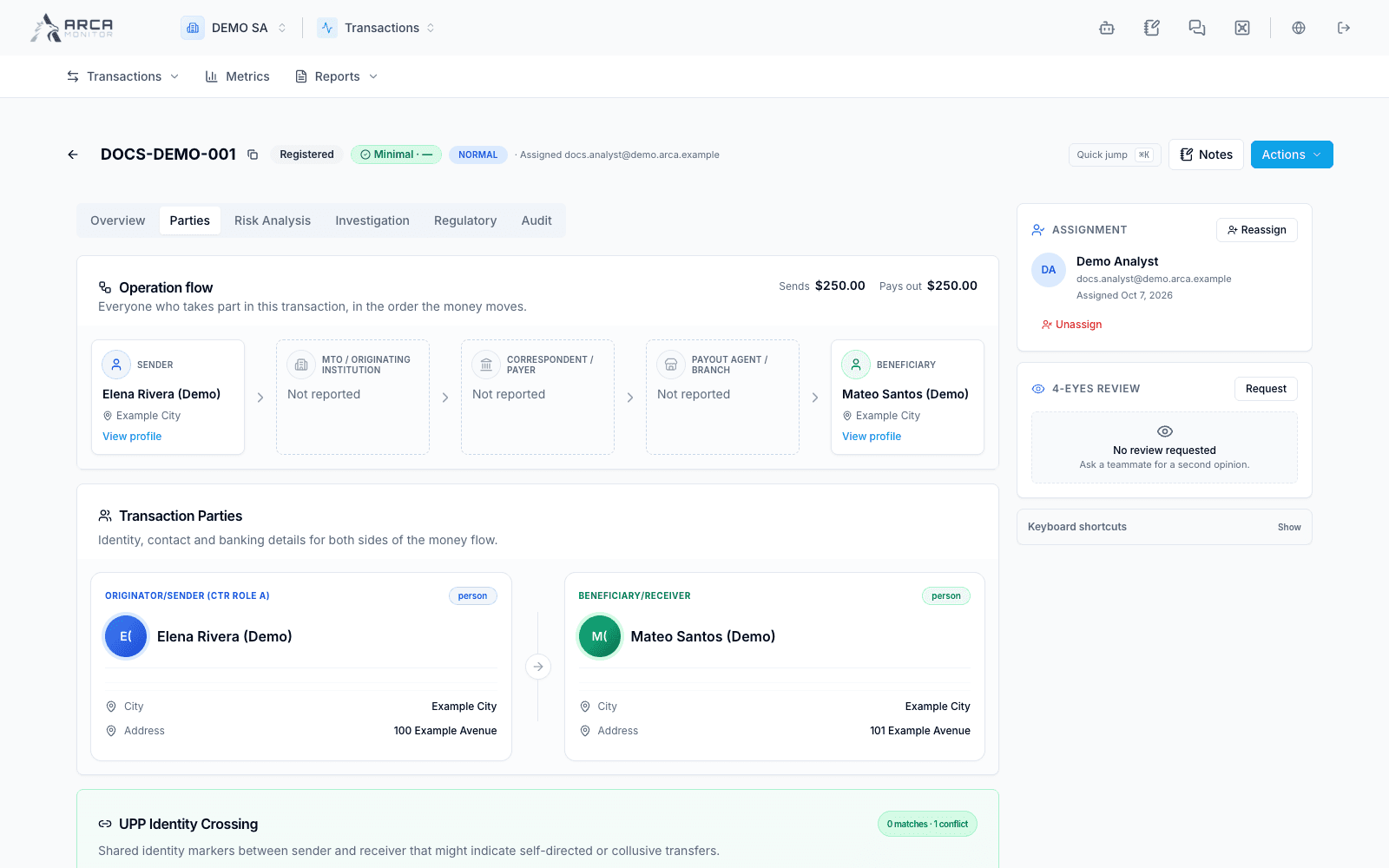
| Parties | The sender, receiver, and available participant information. |
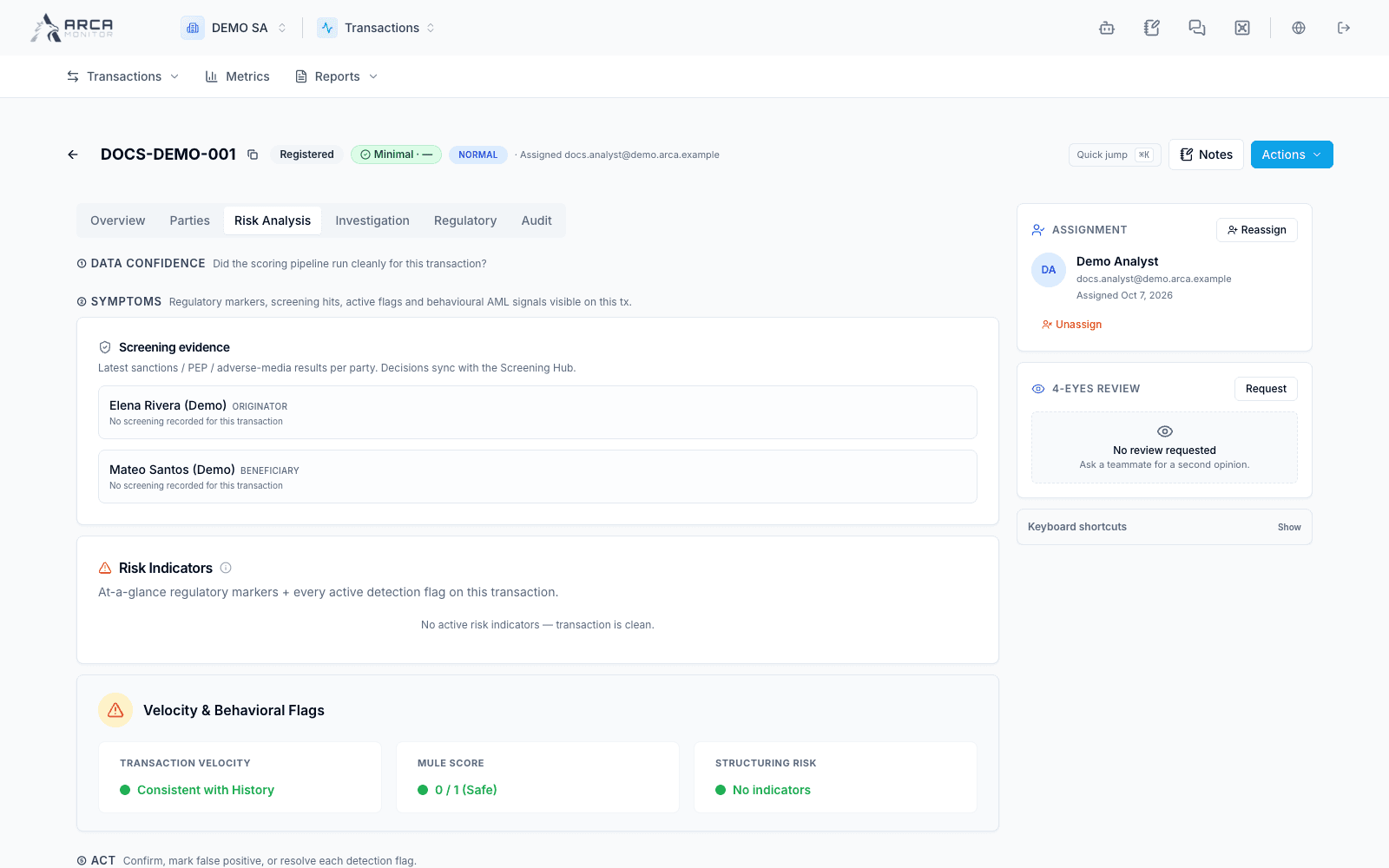
| Risk analysis | Risk results, flags, and the evidence available for review. |
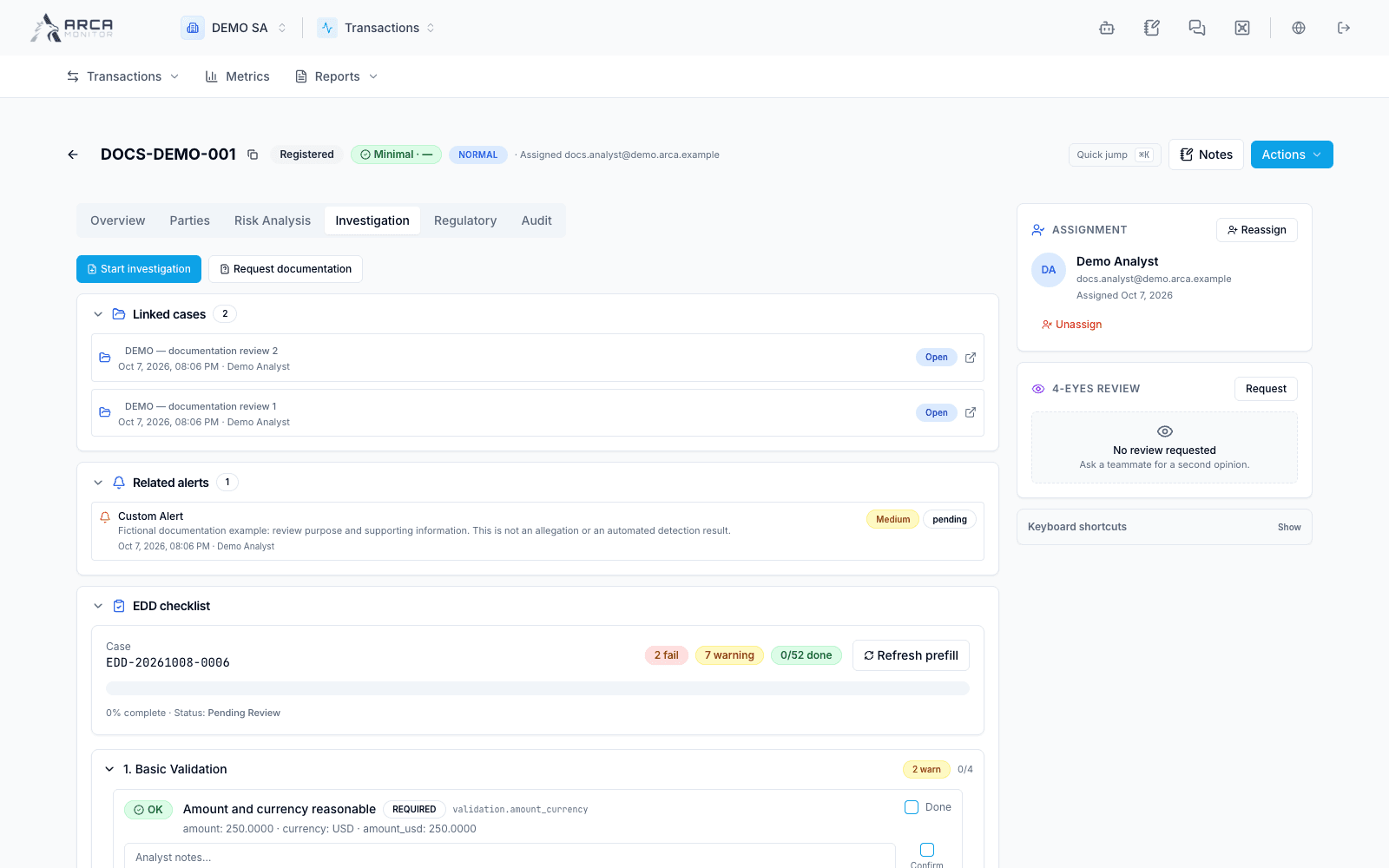
| Investigation | Investigation context and available case or document follow-up. |
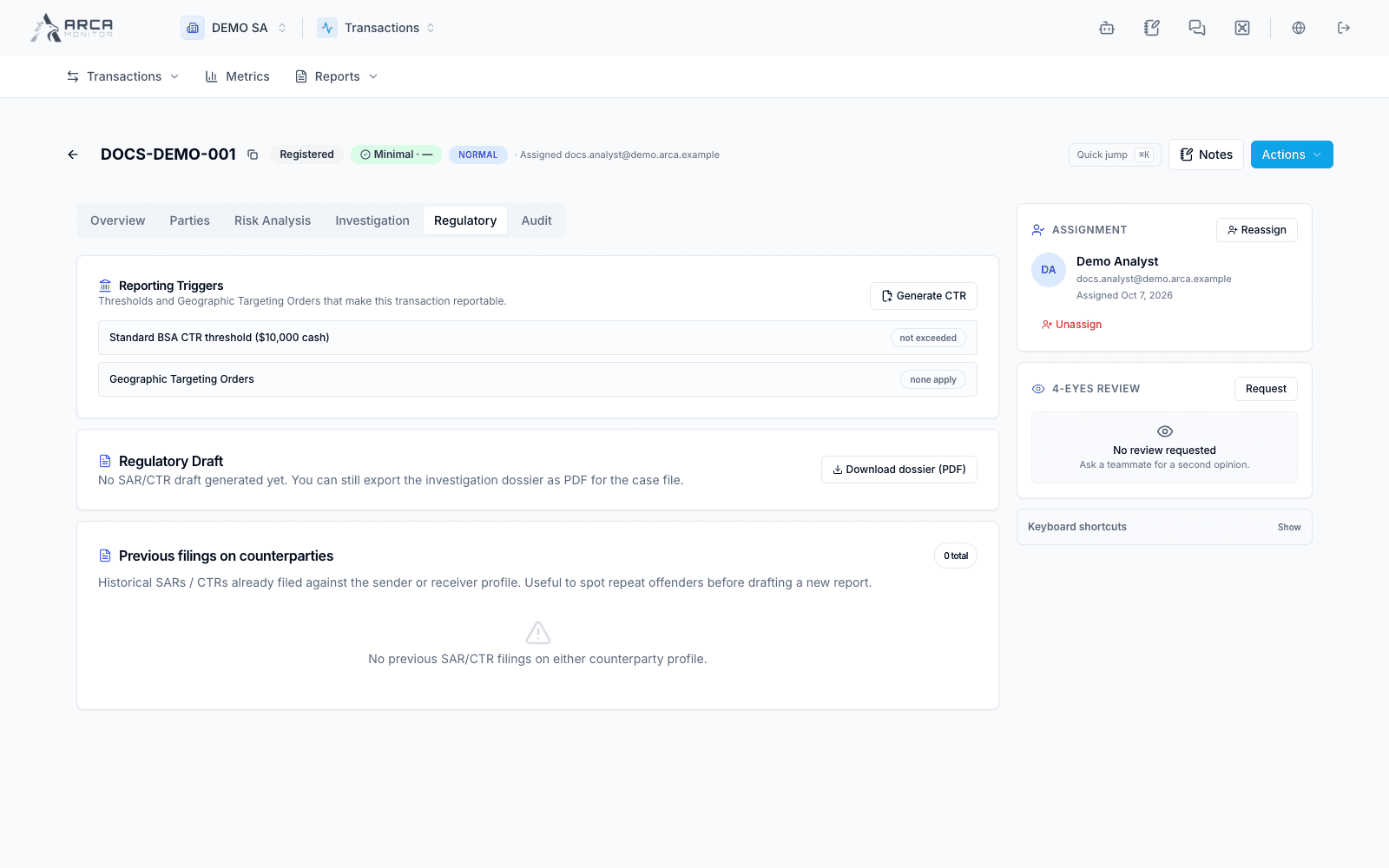
| Regulatory | Related regulatory reporting context and eligible actions. |
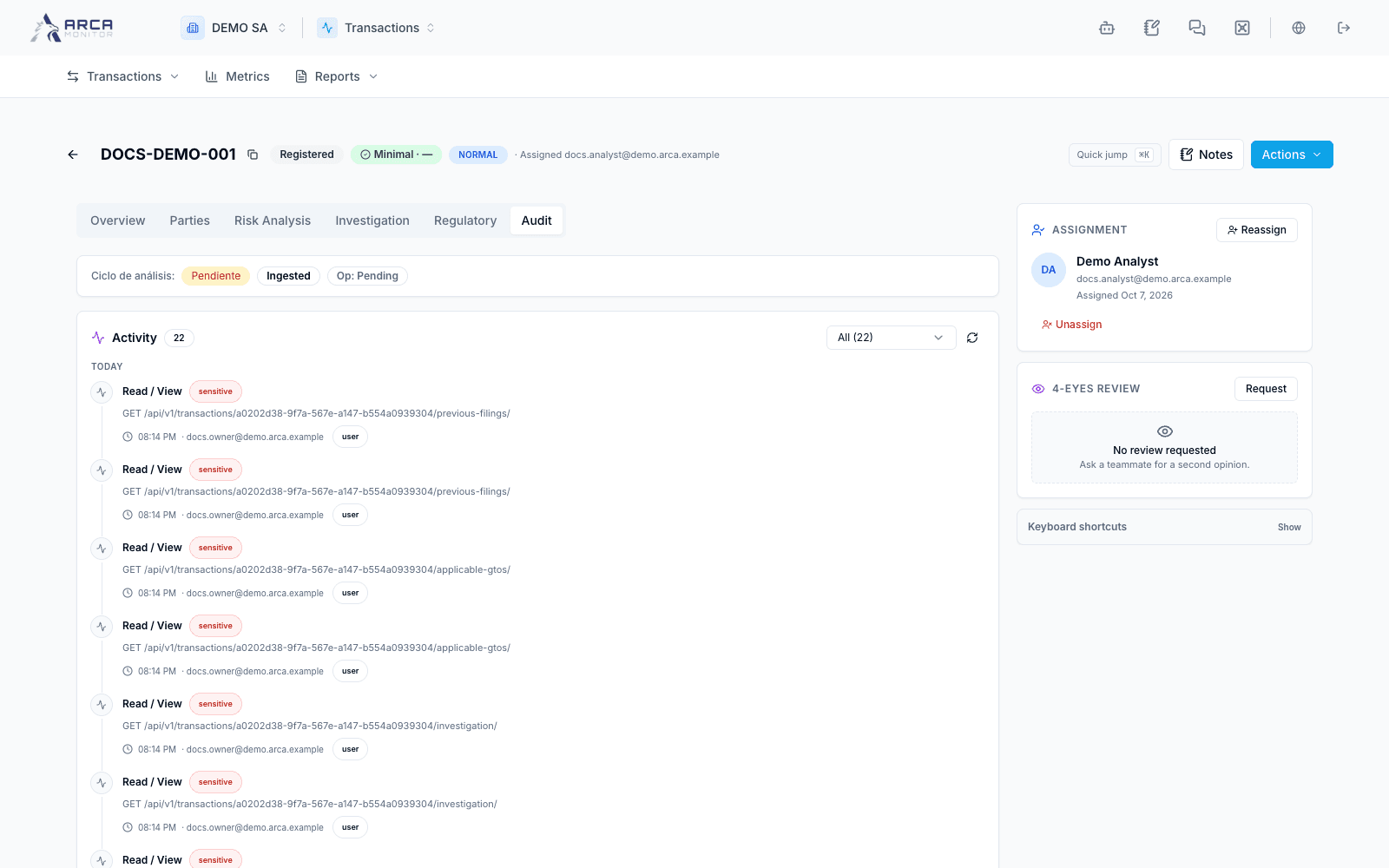
| Audit | The recorded activity and analysis history. |
Use the available quick-jump and section links to reach a specific part of a long record. The ownership area provides assignment and review controls when your role allows them.
Turn evidence into a documented follow-up
Read why a control or flag was raised, compare it with the source information, and record your analysis through the available notes or investigation workflow. A match, flag, or high score calls for review; its meaning depends on the evidence and your organization’s procedure.
If an investigation is required, use the available case action and verify the resulting case association. If you need supporting documentation, use the offered request workflow and follow its result. The presence of an action in a menu is not confirmation that the request completed.
Use Pipeline and analysis status to check workspace processing coverage.
Correct recorded data
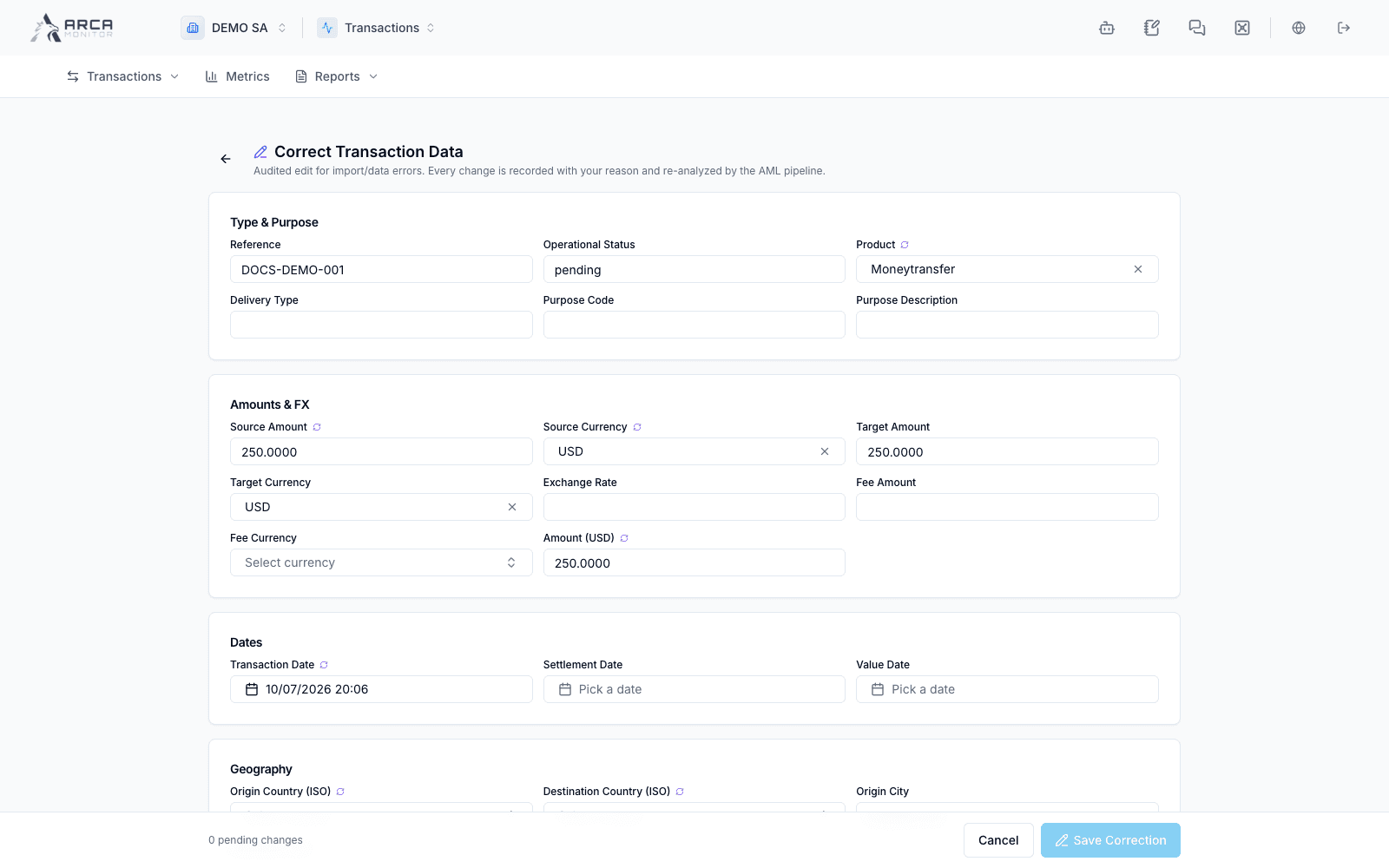
When Correct transaction data is available, it opens a controlled correction form. Only fields offered by that form can be changed. Review the before-and-after summary and provide a meaningful reason before choosing Save Correction.
Some records or fields can be blocked from correction, including restrictions associated with filed reports. Read the displayed reason. After saving, inspect the updated record and the reported re-analysis status; a saved correction and a completed analysis are different events.
Do not create a second transaction merely to replace information that should be corrected on an existing record.
Re-analysis and other actions
When a re-analysis action is available, review its dialog and target before confirming. It requests further processing; follow the pipeline status and resulting evidence afterward. Assignment, hold, release, watch, and review actions depend on role and state and are not interchangeable with payment decisions.
Follow the operational decision separately
For available review controls, open Actions and follow-up. A review lifecycle change on the detail is not proof that an external payment was executed.
Before leaving the record
Confirm the outcome of your action, the current analysis state, and the next responsible person when applicable. Keep the transaction reference with any handoff so the next reviewer can reach the same record.
Screens and controls
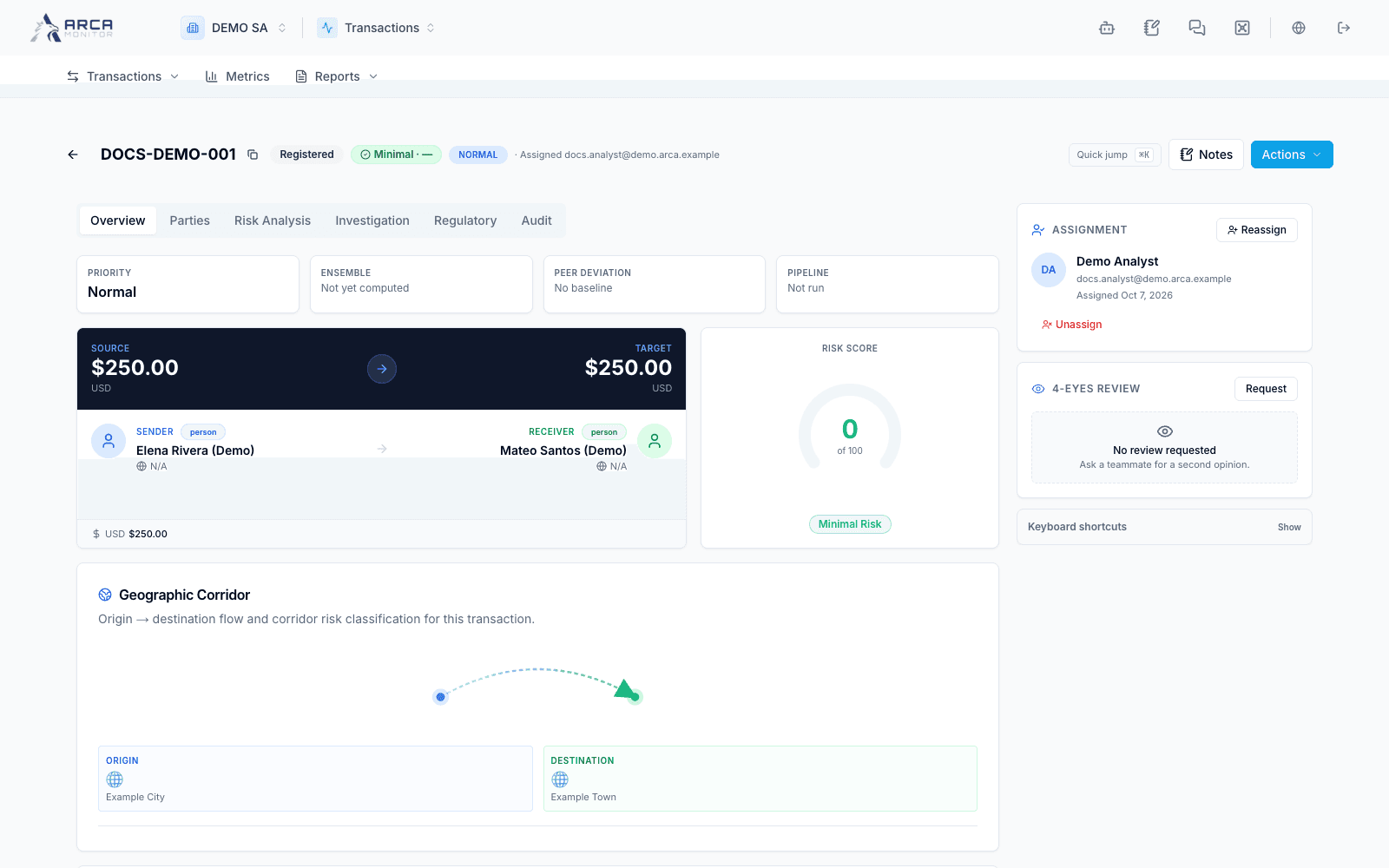
Overview: analysis is not yet computed
Recorded sender and receiver details
Risk evidence and pending processing
Investigation and documentation follow-up
Related regulatory reporting context
Recorded user and processing history
Controlled correction form; review the required reason before saving