Assign and follow channel tasks
Use owners, due dates, list/board views, and task context.
Create and define work
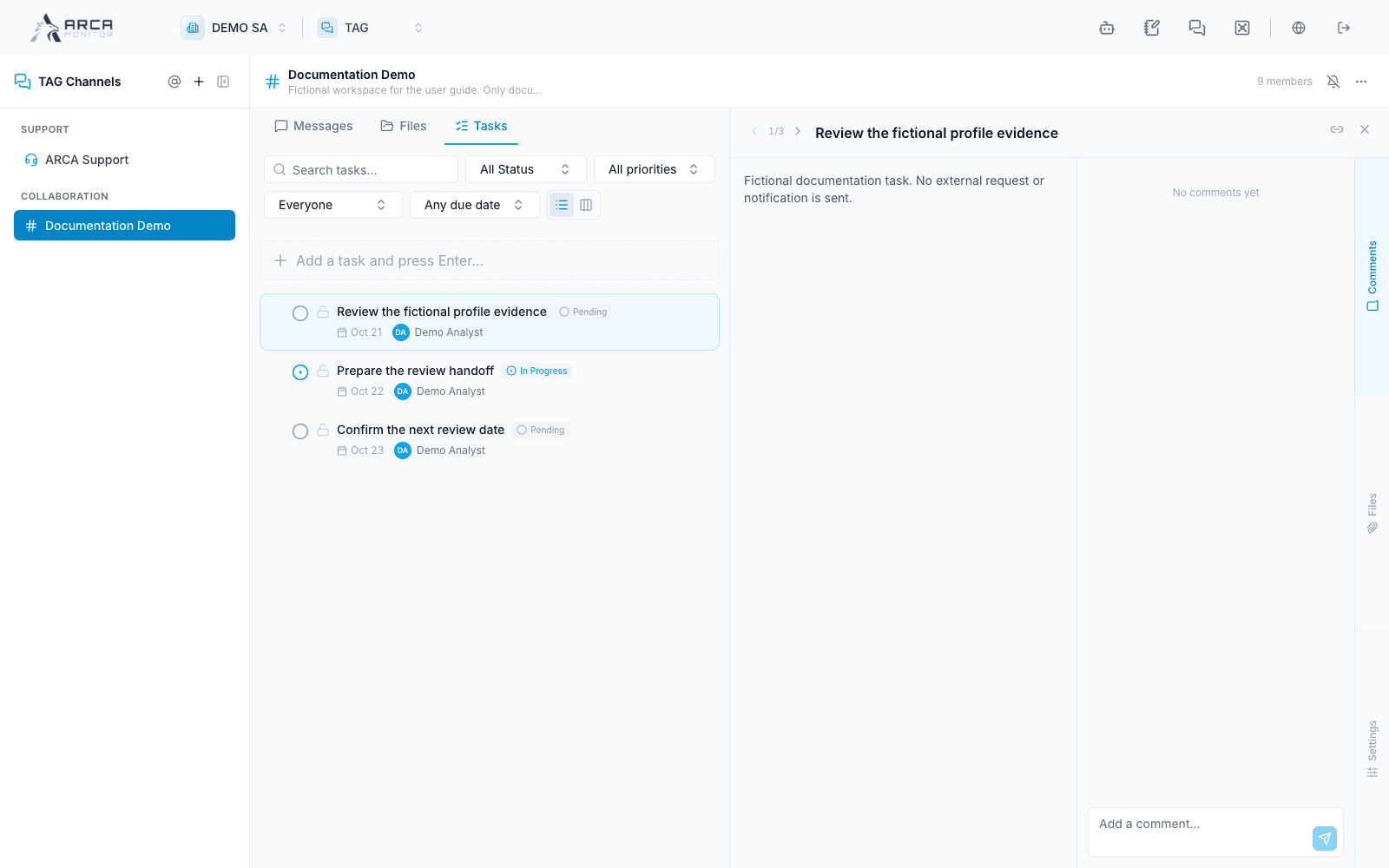
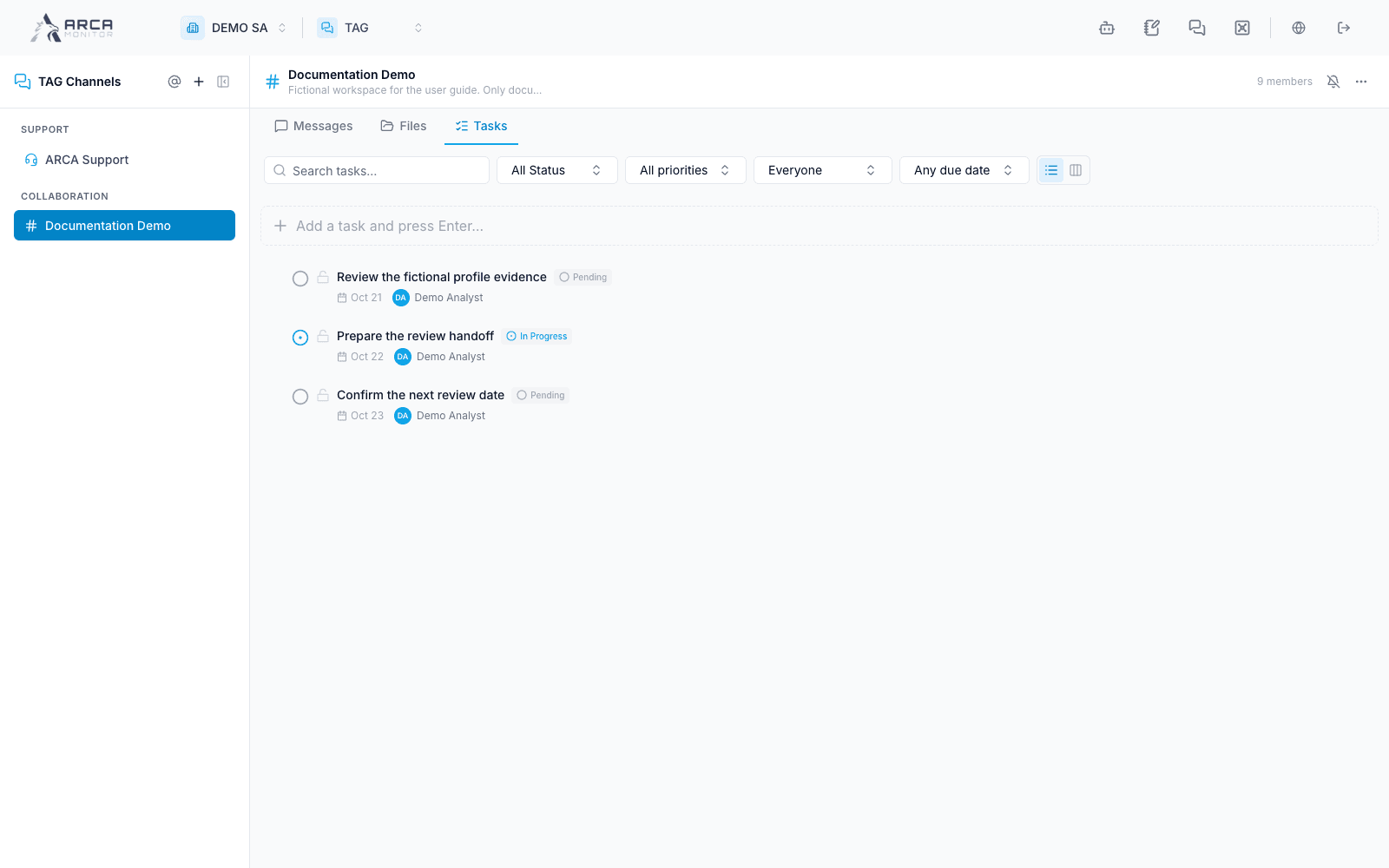
Open Tasks in a collaboration channel. Add a clear task using the quick-add field, or create it from a relevant message. Pressing Enter in quick-add creates the task. Open its detail panel to refine description, assignee, priority, and due date.
Choose an eligible channel member as the owner. State the expected deliverable and keep the source message or record link. A vague “review this” task is harder to complete than “review the linked alert’s triggering transactions and record the finding in that alert.”
Follow progress
Search and filter by status, priority, assignee, and due date. Switch between List and Board. Available states are Open, In Progress, Blocked, and Done. Changing status in the detail or moving a card between board columns saves a task update.
Use comments and files to explain progress or a blocker. In the comment composer, Enter submits and Shift+Enter inserts a line. Inspect the saved task after edits; inline changes can persist without a separate whole-form Save button.
Complete responsibly
Perform the actual operation in its source app and verify its result before marking the follow-up Done. Completing a TAG task does not automatically close the linked alert/case or apply a regulatory decision.
Use the task’s copy-link control to return colleagues to its context. They still need channel and underlying-record access. If a task must be removed, read the deletion confirmation and verify its title; moving to Done preserves a different history than deleting it.
Screens and controls
Task details: responsibility, due date and linked work