Actions and follow-up
Use the transaction action menu and verify the resulting workflow.
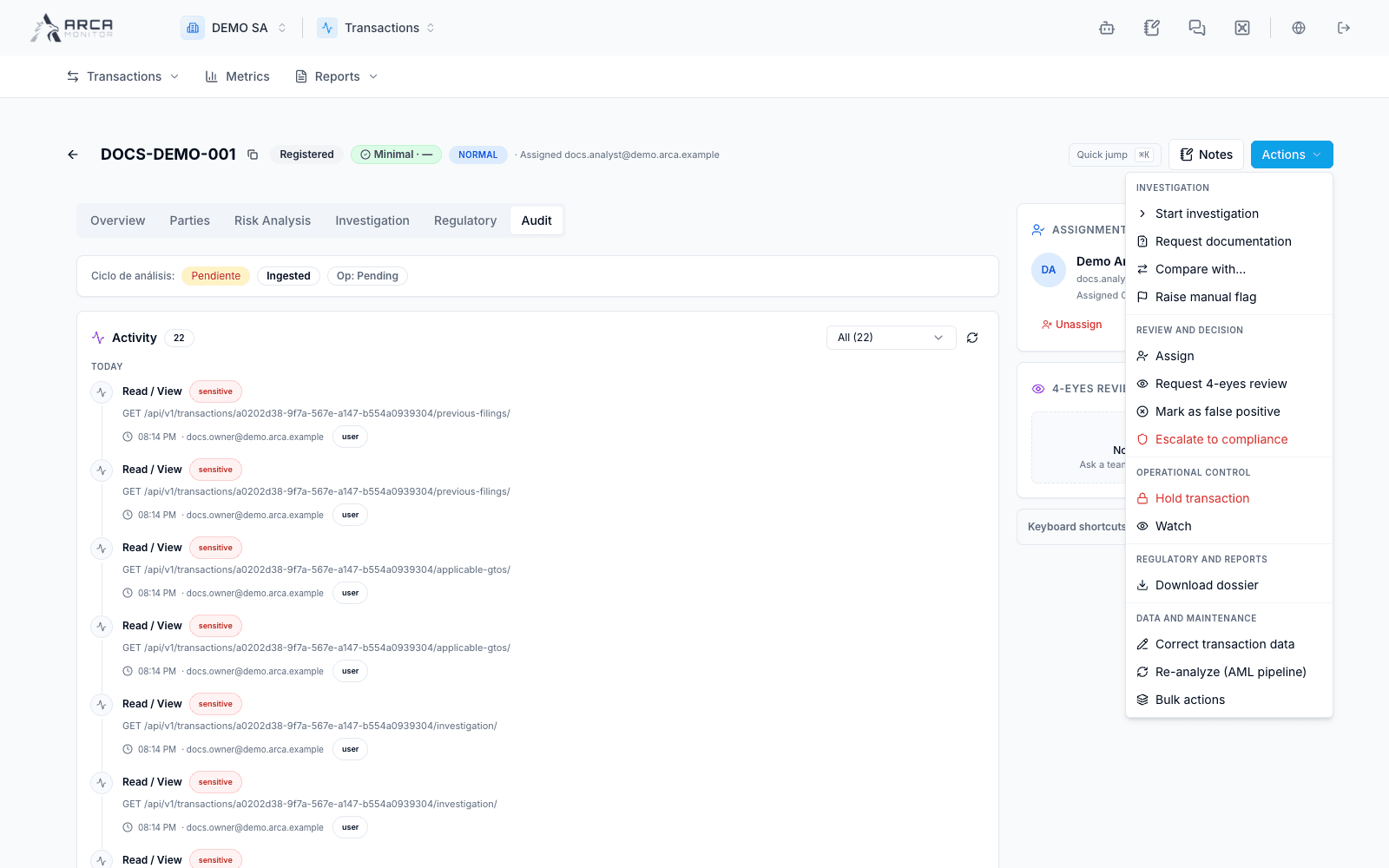
Open a transaction, confirm its reference and read its evidence before opening Actions. The menu groups investigation, ownership, review, escalation, holds and data-maintenance controls. Availability can change with permissions and record state.
| Action | Purpose and verification |
|---|---|
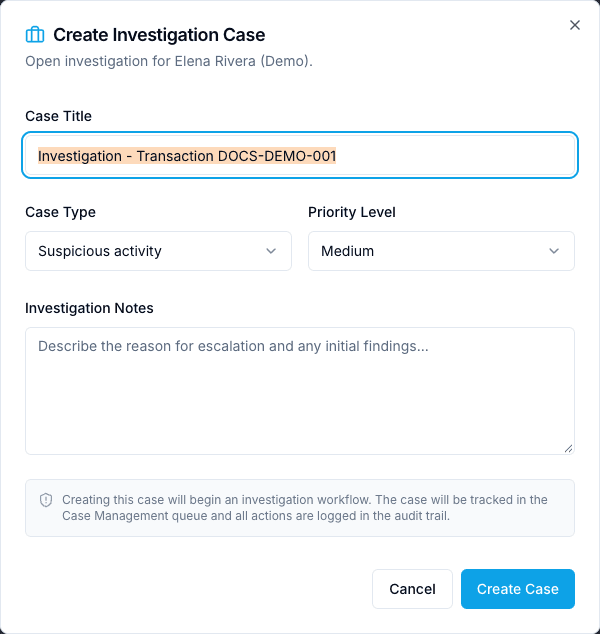
| Start investigation | Establish case follow-up; verify the case association after completion. |
| Request documentation | Collect missing evidence through the offered workflow; check the target and resulting request. |
| Compare with… | Inspect another operation in context before drawing a conclusion. |
| Raise manual flag | Record a supported concern and its reason; a flag is not a final disposition. |
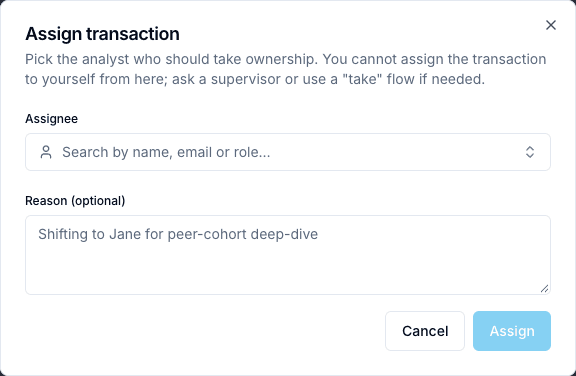
| Assign / Reassign | Select the responsible workspace member; verify the assignment panel afterward. |
| Request 4-eyes review | Ask for independent review and track its separate status. |
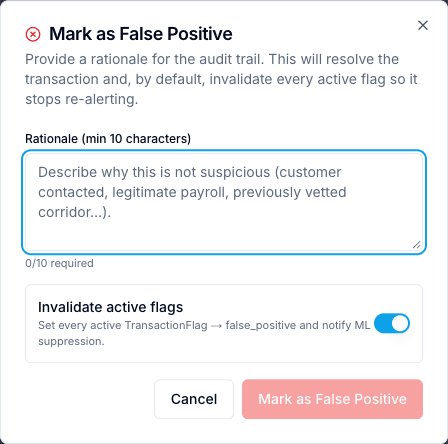
| Mark as false positive | Use only with evidence and the required authority; verify the recorded disposition. |
| Escalate to compliance | Sends escalation immediately from this menu; record relevant evidence in Notes beforehand and verify the resulting state. |
| Hold transaction | Read the dialog and current state before submitting; do not infer external payment execution from this control. |
| Watch | Changes the watched state immediately; verify the updated control and watch status. |
| Download dossier | Obtain the offered record package; review the scope before sharing. |
| Correct transaction data | Review permitted changes and the required reason in the correction form. |
| Re-analyze (AML pipeline) | Request processing and then inspect its result; submitting a request is not completion. |
| Bulk actions | Review the explicit target selection and eligibility before applying changes. |
Read the action form before confirming
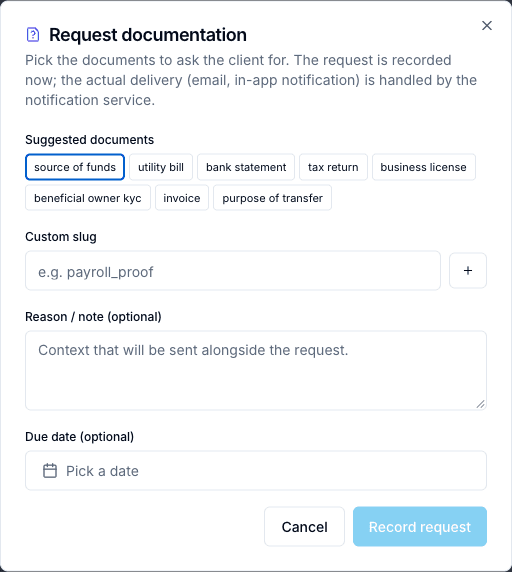
- Request documentation: choose suggested document types or a custom slug, add an optional reason and due date, then use Record request. This records a request; delivery belongs to the notification service. Check the resulting request rather than assuming the client already received it.
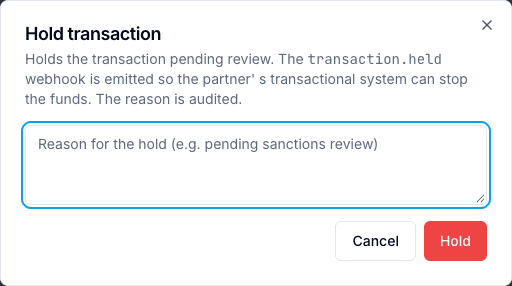
- Hold transaction: supply an auditable reason. The dialog describes a
transaction.heldwebhook for the partner system. Verify the hold in ARCA and the partner's processing separately; a local status alone does not prove funds stopped externally. - Mark as False Positive: enter at least ten characters of rationale. Review Invalidate active flags, enabled by default: it changes active flags to false positive and notifies ML suppression. This affects more than a label on the record.
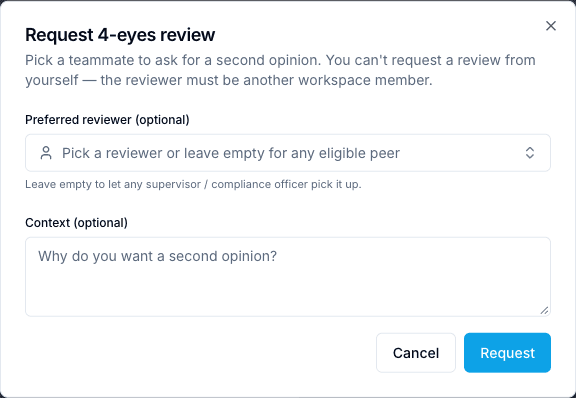
- 4-eyes review: choose another eligible workspace member or leave the preferred reviewer empty for an eligible supervisor/compliance reviewer. Optional context explains the question to resolve. The requester cannot decide their own review.
Make a traceable handoff
Use Notes to preserve observations, evidence references and outstanding questions. The assignment panel and 4-eyes review → Request are separate: assigning a person does not record their approval. Read the target, reviewer and required reason in any dialog before confirming.
The screenshots show available controls; no payment decision, regulatory filing or external request was executed for these examples. Read Review a transaction for the six detail sections.
Screens and controls
Document request: required evidence, reason and due date
Transaction hold: scope and reason before confirmation
False-positive disposition form
Investigation creation from the transaction
Reassignment to an eligible workspace member
Independent review request