Write and promote notes
Keep personal working notes and deliberately promote a reviewed case record.
Create and organize
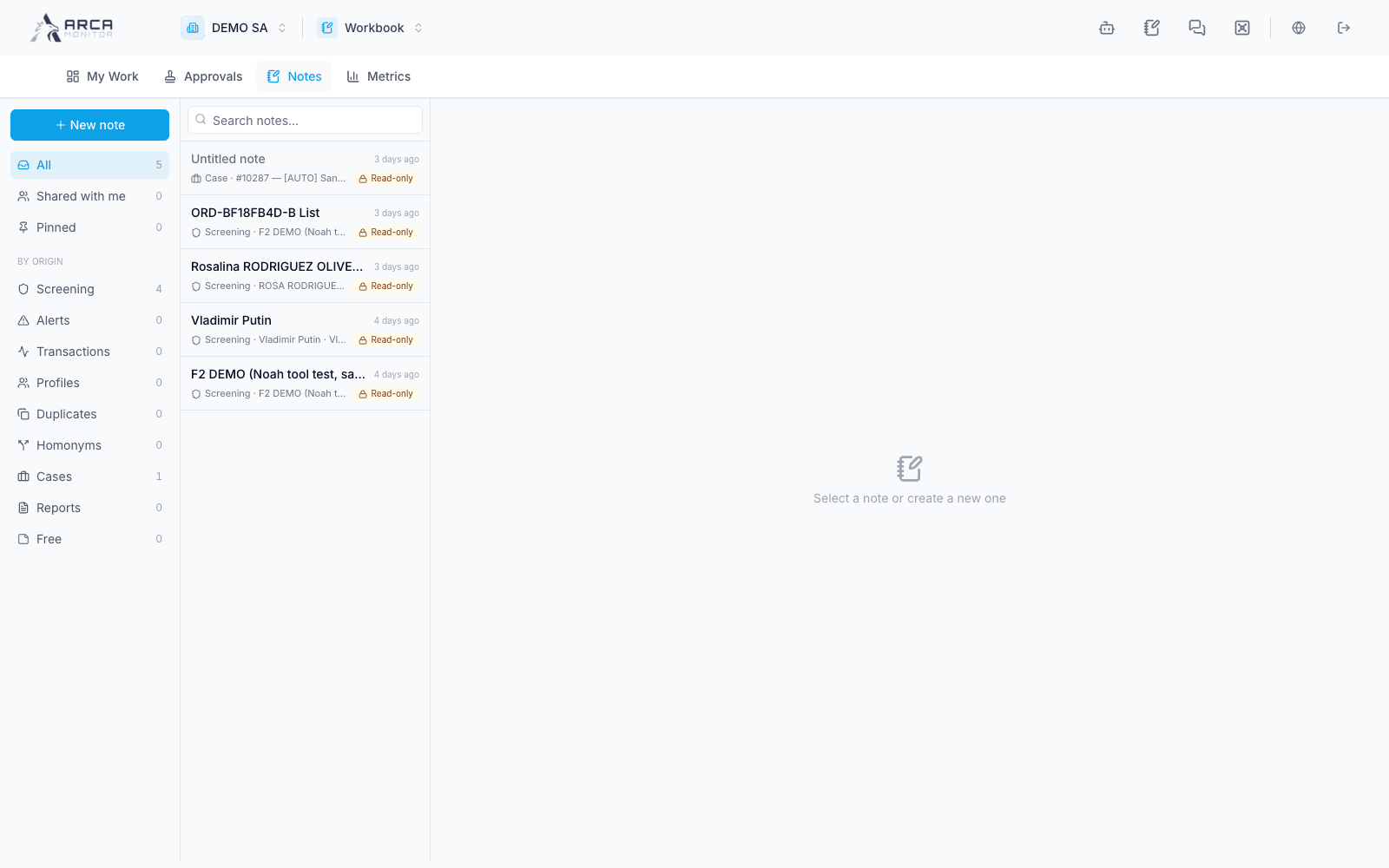
Open Notes and choose the new-note control. Write in the rich-text editor, use the available folder/pin controls, and link the note to relevant alerts, cases, or profiles. A note created from a record’s Notes panel can arrive with that context already linked; verify it.
The editor autosaves. Wait for the saved indicator before switching away, closing, or reloading. If autosave fails, preserve your unsaved text and resolve the error; continuing to another page can lose an unsaved change. The first written content supplies the displayed title rather than a separate save workflow.
Use search and smart folders to find pinned, linked/unlinked, or promoted work. The Screening folder exposes its own read-only records; it is not an editable duplicate of those screening decisions. Supported pasted/dropped images are uploaded through the note editor; confirm they load before relying on them as support.
Understand personal scope
Workbook notes are scoped to their owner. A link to an alert or case does not automatically turn a personal draft into that case’s shared evidence. Mentions may notify a person, but do not assume they grant access to a private note or its underlying record.
Promote a reviewed note
Use Promote to case record, select the intended case, and read the confirmation. Review content and links before confirming: promotion creates the case record and makes the personal note read-only. A promoted note cannot be deleted through the ordinary personal-note action.
Verify the promoted marker and the resulting case record. For a non-promoted note you no longer need, use Delete and check the title in the confirmation. Deleting a personal note is not the way to correct a case’s audited record.