
Work the review queue
Find, prioritize, assign, and follow screening requests that need review.
Open Hits. A row represents a screening request, potentially containing several matched records from different sources. Do not equate the row count with the number of distinct people or list entries.
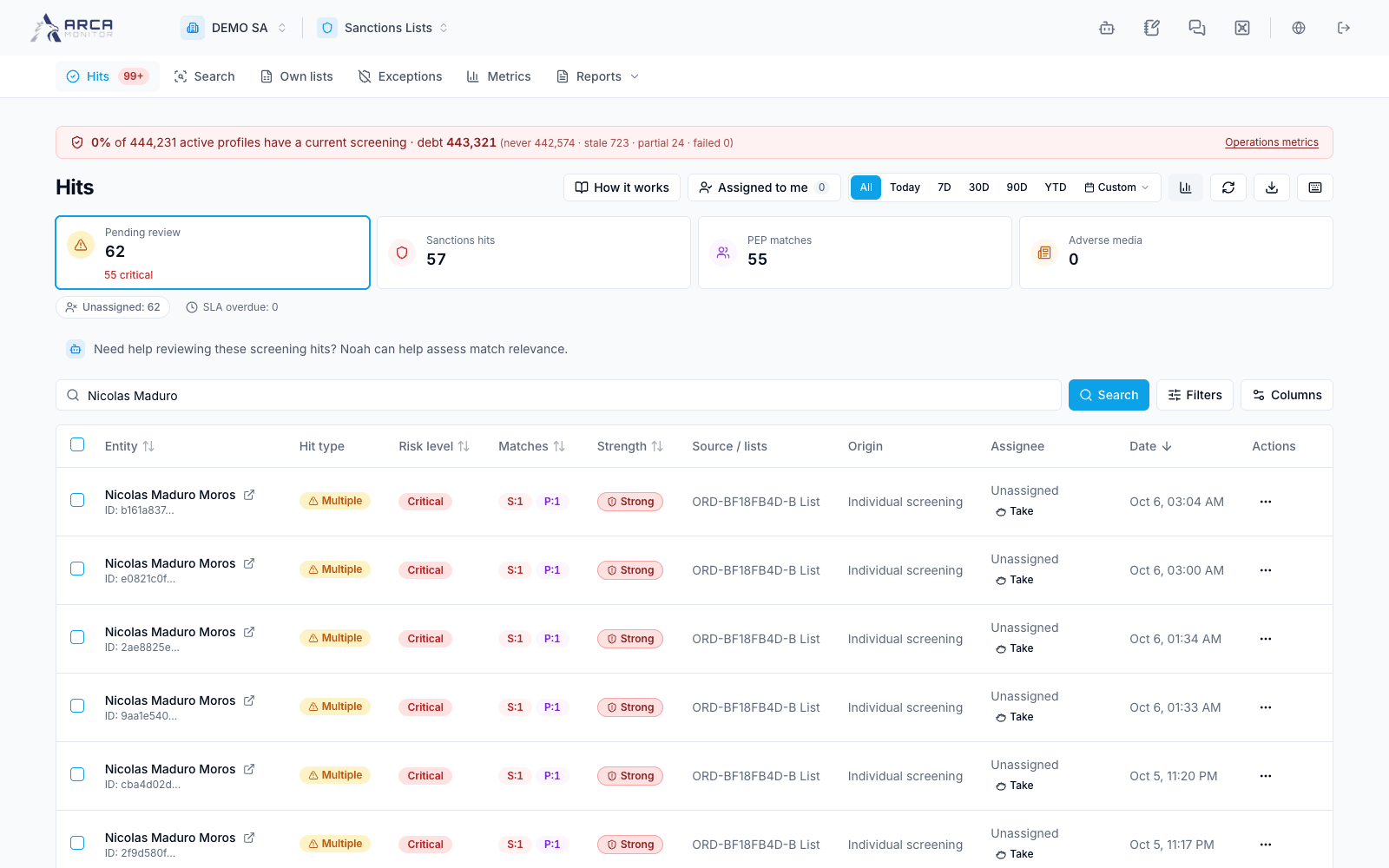
Find the work you need
- Start with the pending queue. Check the status and period before interpreting an empty result; the default queue has no date window hiding older pending work.
- Enter a subject name or request identifier and press Search. Open Filters for status, source/type, list, origin, risk, strength band, score, and assignee criteria.
- Apply the panel’s changes with Search. Period and column-sort controls apply immediately; staged panel changes do not.
- Use Assigned to me or Unassigned to focus responsibility. Read the assignee and deadline on the row, including any overdue indication.
The statistics describe the filtered result. A request with matches in several sources can contribute to several source counts. Shared queue URLs retain filters, but every recipient still needs access to the workspace.
Assign and open a request
Use Take for available unassigned work. Use Assign to…, when permitted, to choose another responsible member. Inspect the returned result after a bulk assignment: an ineligible, already-held, or unlinked request may be skipped or refused.
Open the row to reach the subject’s review page directly. Its source tabs and record selector identify the evidence on screen. The back control and queue navigation retain the originating scope. See Review a match.
Be explicit about decision scope
Queue actions act on a request; the detailed review can act on one record. Before confirming, dismissing, or escalating, read the dialog’s scope and rationale requirement. A multi-row action can produce a mixture of applied decisions, proposals, and refusals. Follow each reported outcome instead of assuming the entire selection succeeded.
A pending second signature means the decision has not been applied. Escalation keeps work unresolved. When a false-positive action creates an exception, follow its separate status in Exceptions.
Export or refresh
The download action exports the filtered queue in CSV or Excel, rather than only the visible page. Narrow the filters if the export limit is reached. The queue listens for updates; use Refresh when checking an action’s result, and distinguish a loading/error state from an empty queue.