
Your personal account
Update your profile and find your security, device, and display preferences.
Your account identifies you across the platform. Workspace membership controls your access to each organization. Updating your name does not change your role or permissions.
Open your account
Open the workspace selector in the header. In the personal area, open My Account. The account navigation contains Profile, Security, Devices, Notifications, and Appearance.
Update your profile
- Open Profile.
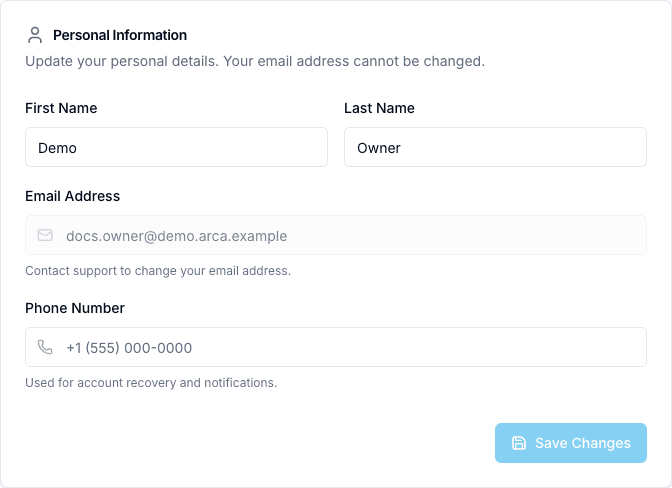
- Edit your first name, last name, or phone number.
- Select Save Changes after making your changes.
- Wait for the success notification and confirm the saved values.
The email field is read-only on this form. First and last name must each contain at least two characters. If you need to change an account email, contact your support contact.
Find other account settings
| Section | Use it to |
|---|---|
| Security | Review the account’s password and multi-factor authentication settings. |
| Devices | Review the device and session information available to your account. |
| Notifications | Configure your personal notification preferences. |
| Appearance | Set supported language, timezone, date, and time display preferences. |
In Appearance, choose your settings and save changes. The language can also be changed from the header. Available theme choices depend on the platform’s current implementation; use only enabled controls.
Personal preferences and workspace settings
Your personal profile does not edit the organization’s identity, billing, members, or application configuration. Those belong to the workspace.
Return to work
Select the organization again in the header’s workspace selector. Confirm the active workspace before continuing to an application.
Read Workspaces and navigation to understand the two areas.
Profile screen
Continue with Security, Devices, Notifications, Appearance.