
Devices and sessions
Review recognized devices and manage active sessions.
Open My Account → Devices. Current Device identifies the browser/device you are using. Other Devices lists the remaining recognized devices.
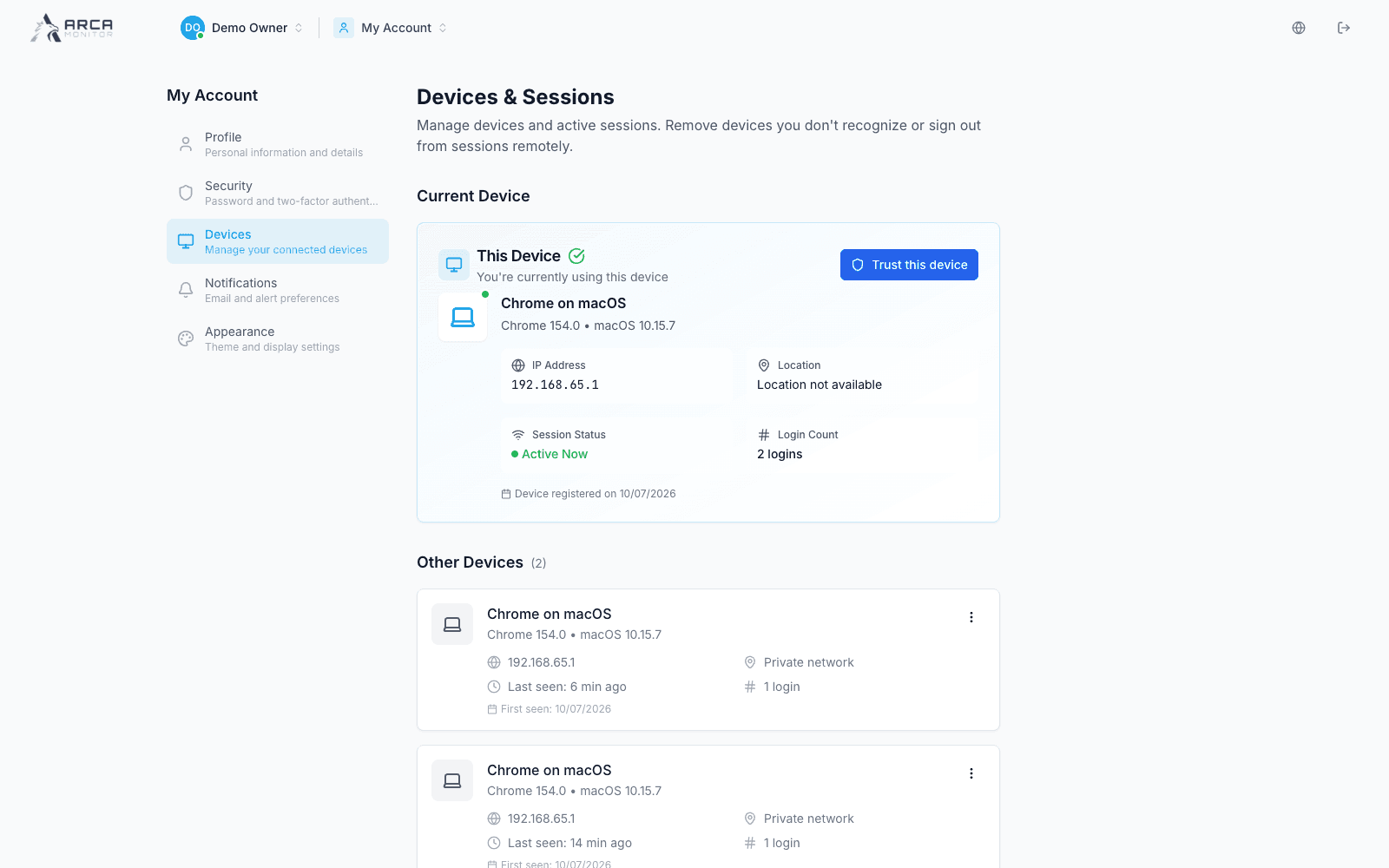
Review a device
Compare browser and operating system, IP address, approximate location when available, activity time, login count and first-seen date. A private network or unavailable location is not a precise physical location. Development screenshots show local network information from the fictional documentation account.
Manage access
Use the offered trust action only for a device you recognize and control. Trusting a device is separate from closing a session. An active session can offer a sign-out action; other device actions depend on its current state.
To remove a device, open its action menu, review the device in the confirmation and confirm removal only when intended. If Sign out everywhere is available, review its scope before using it: it affects sessions beyond the row you are viewing. Check the refreshed list after any change.
If you do not recognize activity, follow your organization's account-security process and review Security.