Prepare and track CTR filings
Correct validation issues, prepare the filing, and record its acknowledgment.
Find or create the report
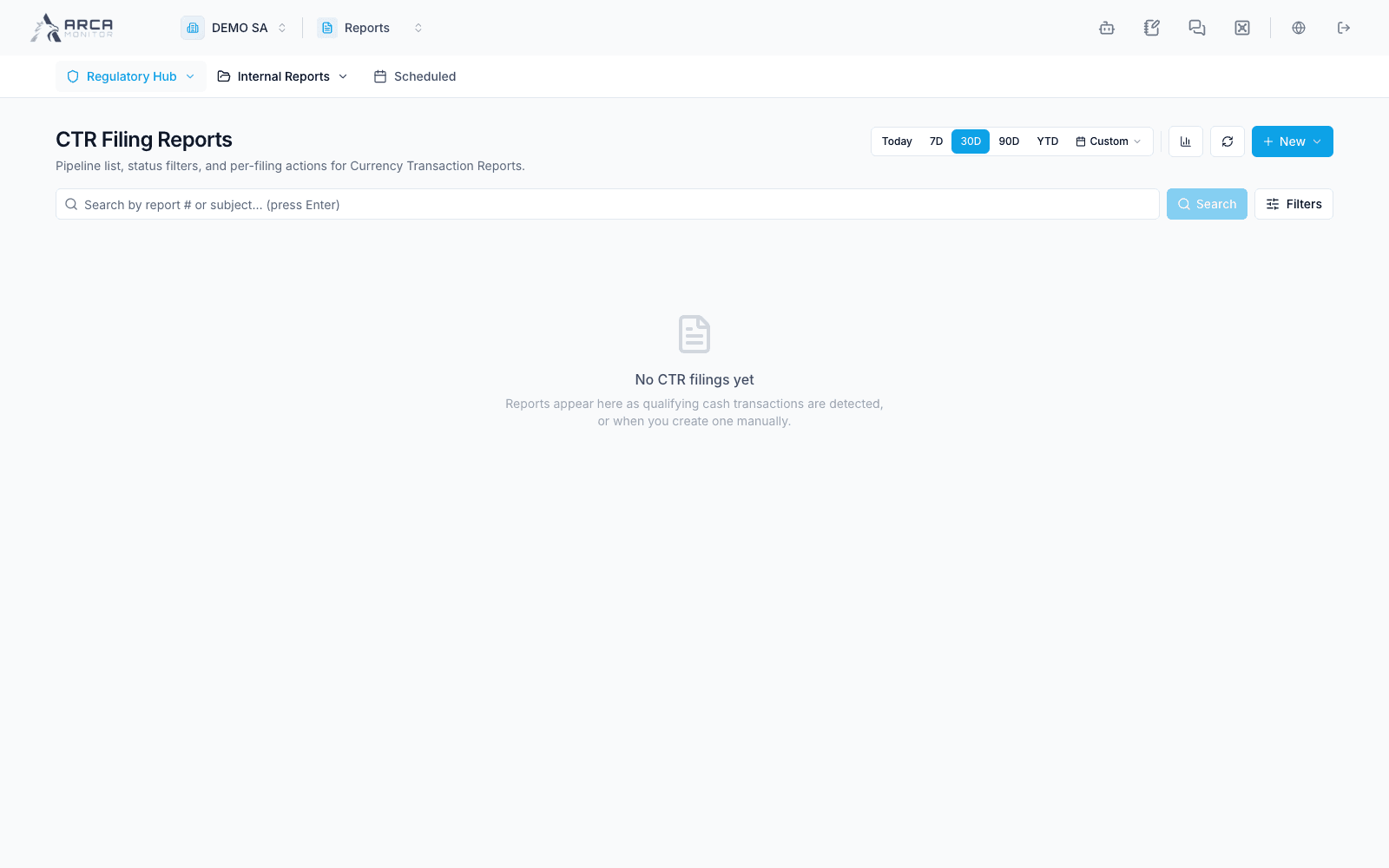
Open Regulatory Hub → CTR. Use the created-date window, search, and status filters to locate the report. CTRs can originate from configured transaction processing or manual creation. Check the subject, operations, reporting period, filing type, and any GTO context before creating a duplicate.
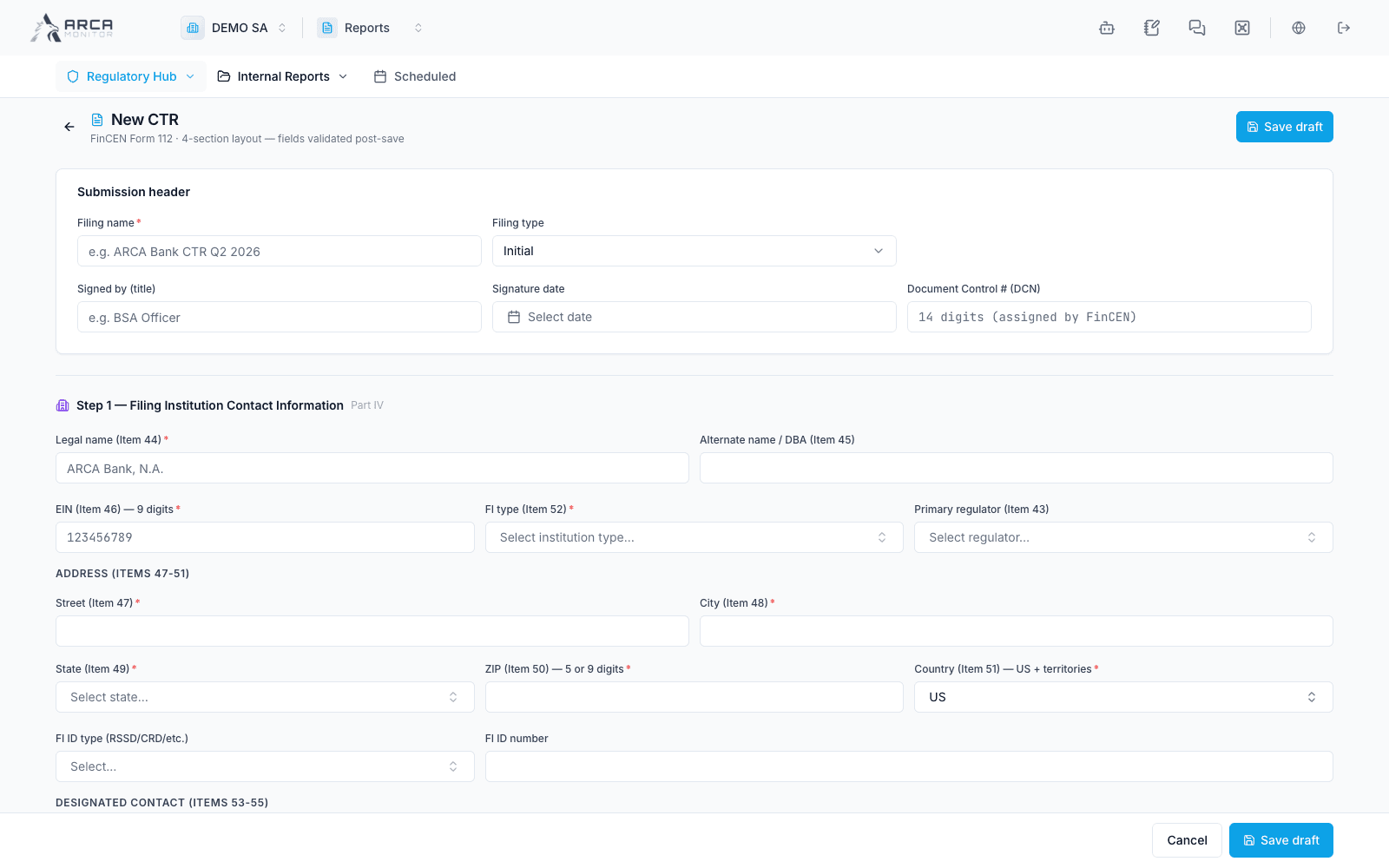
For a manual report, use New → CTR and complete the actual required form fields. Review subject and institution details, transaction information, and the applicable reporting context under your organization’s procedure. Save, open the resulting record, and inspect validation.
Correct and approve
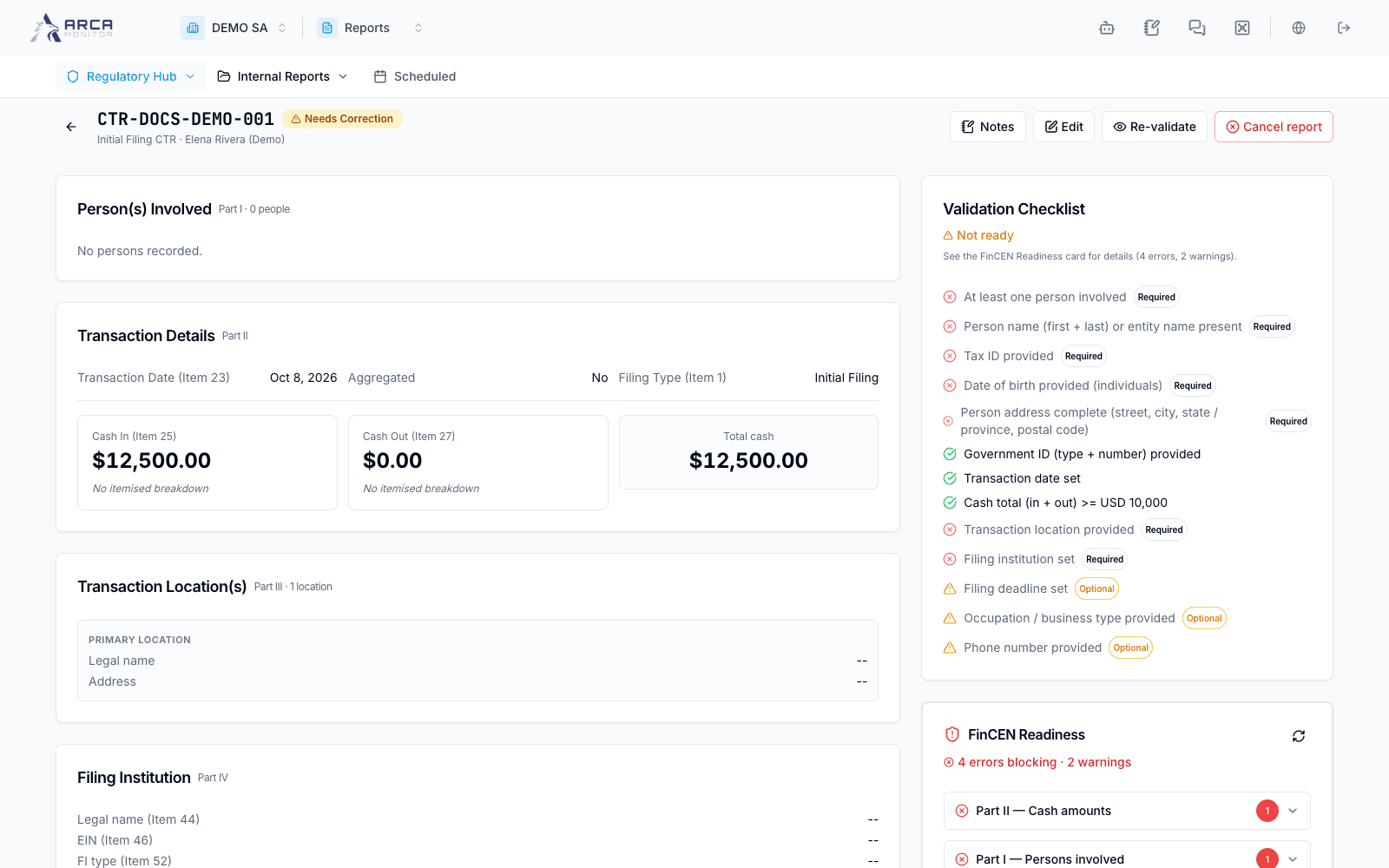
Use Edit while the report permits changes. Resolve the validation checklist and FinCEN readiness errors, then Re-validate to obtain a fresh persisted verdict. Passing validation can approve the report automatically under workspace policy. A report held despite passing validation can offer Approve. Do not interpret a visible approve action as permission to ignore unresolved errors.
Cancel report is the explicit off-ramp for a report that should not be filed; provide the reason. Filed/cancelled records display audit mode. Inspect any rejection reason before correcting a rejected submission.
File with FinCEN
For an approved report, open File with FinCEN. Confirm the environment before preparing the XML: Production and User Test are distinct. Follow the guided file preparation and portal handoff with the authorized filing account. The download step alone does not submit the report.
Return to ARCA with the actual acknowledgment. The single-report flow supports uploading the acknowledgment or recording the required identifier through the guided dialog. Read accepted/rejected results and errors, then verify the filing details and report state. Retain the real receipt; a manually entered status is not independent proof of acceptance.
If a batch already contains the report, resume that batch from Batches. Avoid recreating an envelope merely because you closed its dialog.
Screens and controls
Manual CTR form before submission
Fictional incomplete CTR requiring correction